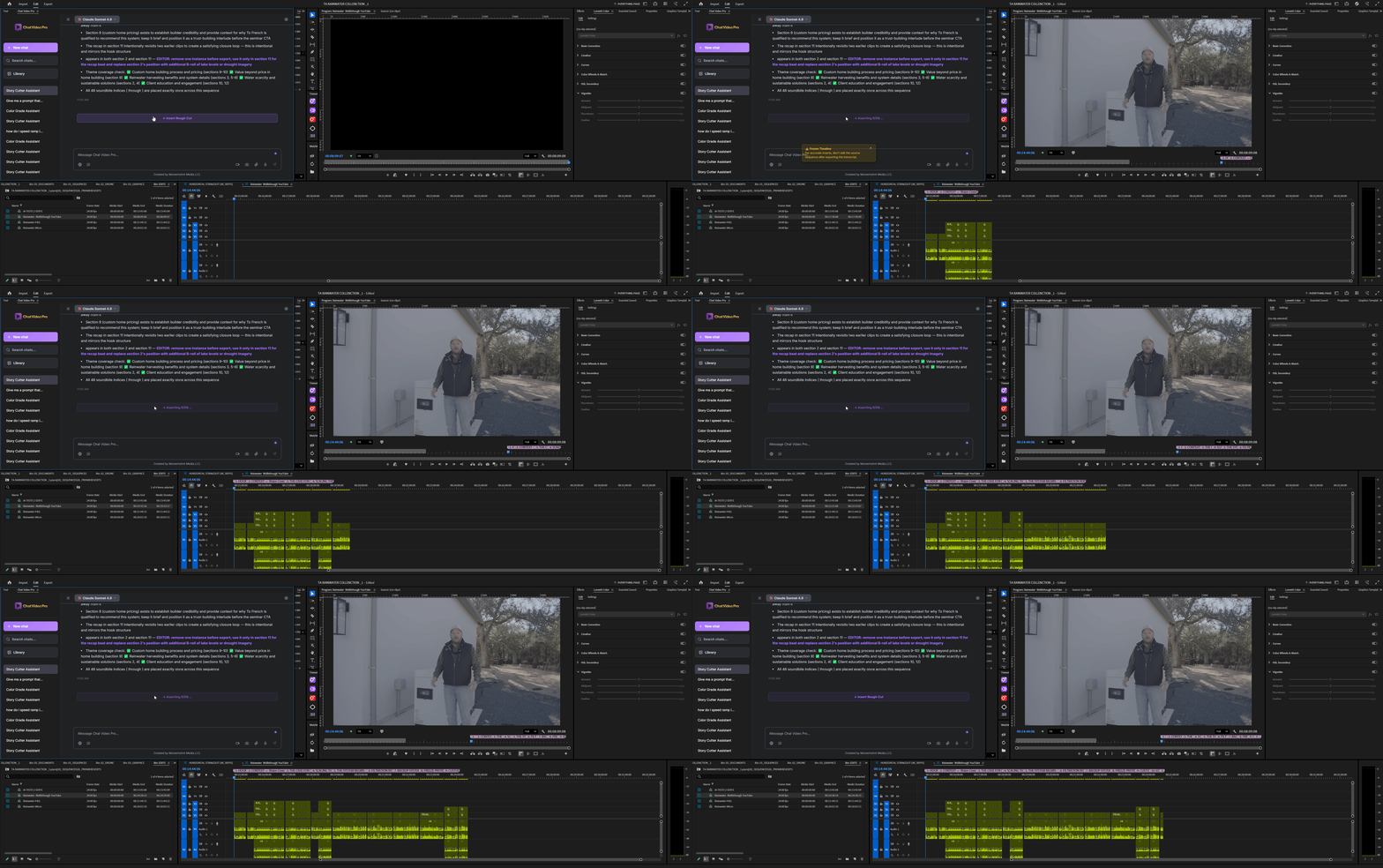
Edit with AI directly inside Premiere Pro

One tool. All the latest models. Everything in your workflow.
No subscription. No markup. No watermarks.

"ADD FIRE AROUND THE CAR"

AI generations are billed directly by your model provider
Only pay for what you use

All your favorite AI tools – finally inside Premiere Pro

Sora. VEO. Kling. GPT. Nano Banana. 10+ AI models, no subscriptions.

Sora
Kling
ByteDance
Recraft
WAN
OpenAI
Hailuo
Fal
Veo
Hunyuan
Flux
Meta
Decart

If you can type a prompt, you can edit like a pro.

Each edit below took less than 5 minutes.

01

Open ChatVideoPro

Launch the panel inside Premiere.

02

Type your prompt

Ask for edits, clips, or VFX.

03

AI does the work

Get answers & assets instantly.

04

Apply to timeline

No exports. Just drag & drop.

Stop paying monthly for tools you don’t own.

Why Pay-As-You-Go Is Actually Better

Most generations cost pennies, not monthly fees.
If you don’t generate, you don’t pay — simple.

Subscription Pain ❌
ChatVideoPro Freedom ✔

SUBSCRIPTION TOOLS

What you're paying for today… every month.
Canva Pro $30/mo ChatGPT Plus $20/mo Runway $35–$95/mo Descript $15–$39/mo Freepik Premium $15–$30/mo Pikzels / Pika $20–$60/mo ElevenLabs $22/mo Shutterstock $29/mo
  • Recurring monthly fees
  • Credits expire every 30 days
  • Your premium features disappear the moment you stop paying
  • Requires multiple logins and switching apps
  • Confusing credit packs + hidden costs
  • Web-only workflow (download → import)
  • You lose access if you stop paying
$200 – $400 /mo $2,400 – $4,800 every year for tools you don’t own
VS

CHAT VIDEO PRO

Replaces 10+ subscriptions. One-time tool.
1. No Subscriptions or Credits
  • One-time purchase — lifetime access
  • Only pay for what you generate (billed by provider)
  • No credits — direct provider billing at TRUE rates
  • No markups, no middlemen, no traps
2. Advanced Editor Tools Included
  • Color Assistant + Infinite LUT Generator
  • ChatGPT Story Cutter helps cut your videos
  • Instant background removal + smart upscalers
  • Canvas Editor for visual control
💡 How billing works: ChatVideoPro never charges for generations — you simply connect your Fal.ai account and pay the true provider cost.

Example costs:
• Images: $0.002–$0.10 each
• Videos: ~$0.20–$0.60 per clip

✔ No minimums
✔ No subscriptions
One-Time Payment Own your tools forever

Why Pay-As-You-Go Is Actually Better

Most generations cost pennies, not monthly fees.
If you don’t generate, you don’t pay — simple.

Five AI Workflows That Replace 10+ Apps.

1. AI Video Generation

AI Video Generation
“Create shots, transitions, reshoots, and full scenes directly inside Premiere.”
  • Text-to-Video: Instantly generate cinematic b-roll, establishing shots, product shots, transitions, and sequences on demand.
  • Image-to-Video: Animate graphics, create seamless transitions, or expand/reimagine your footage from a single still.
  • Video-to-Video (NEW): Restyle, relight, enhance, or fully reimagine your clip while keeping the original motion.
  • Top-Tier Models: Access Sora 2, Google VEO, Kling, Wan, Hailuo, Nano Banana, and more — all without leaving Premiere.

2. AI Story Editing (Story Cutter)

Story Editing
“Turn long recordings into tight story sequences with clickable timestamps.”
  • Story Cutter Assistant: Upload your transcript → instantly pull the best soundbites, hooks, and emotional moments.
  • Beat Restructuring: Convert messy interviews or podcasts into clean 30–120 sec story flows.
  • Instant Transcript Tools: Get chapters, suggested punch-ins, topic clusters, and ready-to-drop cuts for your timeline.

3. AI Image, Graphics & Thumbnail Tools

Thumbnail Tools
“Create high-CTR thumbnails, 4K images, and graphics — no Photoshop required.”
  • Thumbnail Mode (NEW): Generate scroll-stopping thumbnails using proven high-conversion styles.
  • Blueprint Library (NEW): 100+ ready-made thumbnail styles used by top creators.
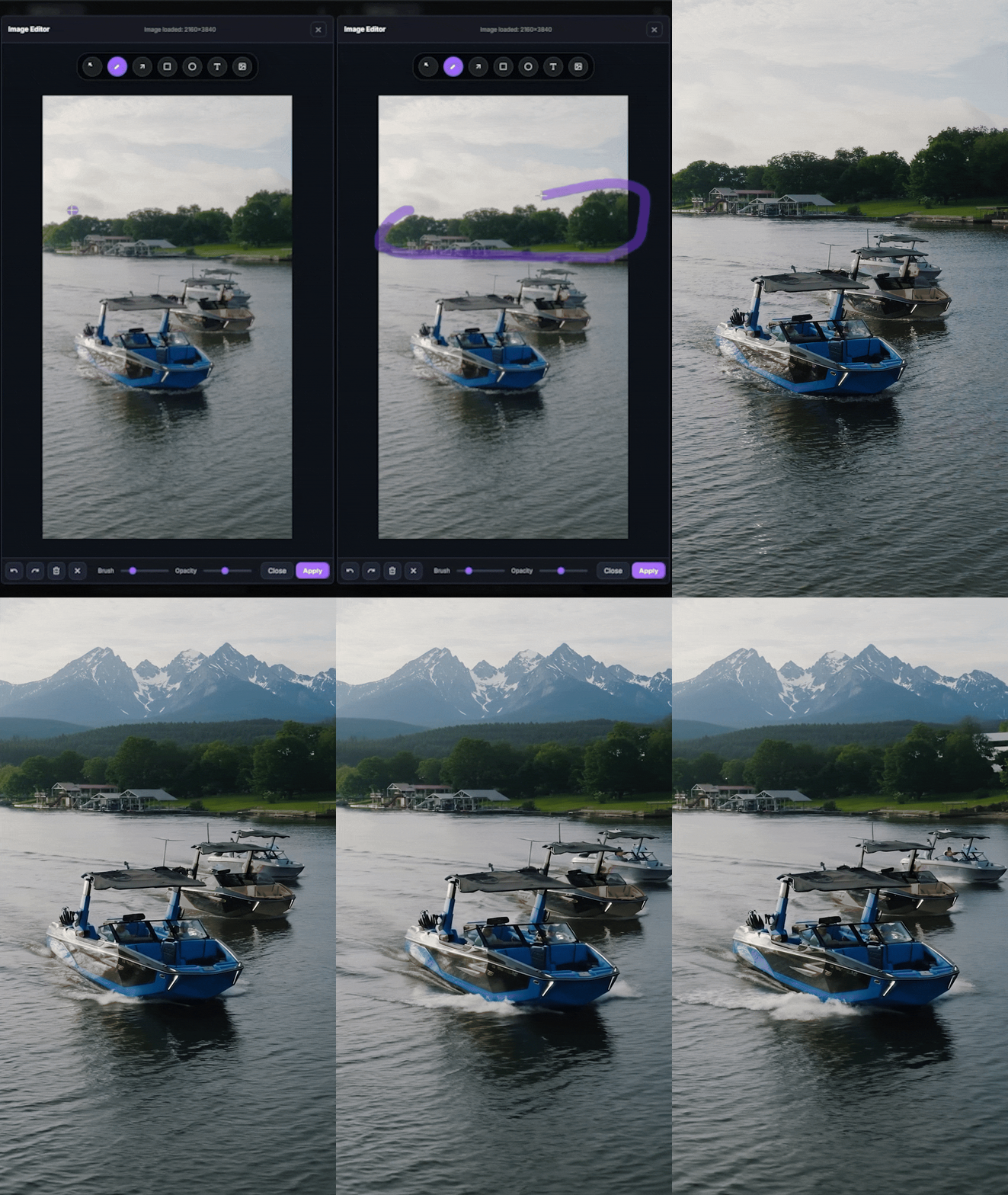
  • Canvas Editor: Paint, mask, expand, remove objects, and composite — all inside Premiere.
  • Instant Frame Grab: Capture your frame → send to prompt → generate → auto-import to your project.

4. AI VFX Workflows

VFX Workflows
“Fix shots, remove objects, restyle scenes, and create VFX — instantly.”
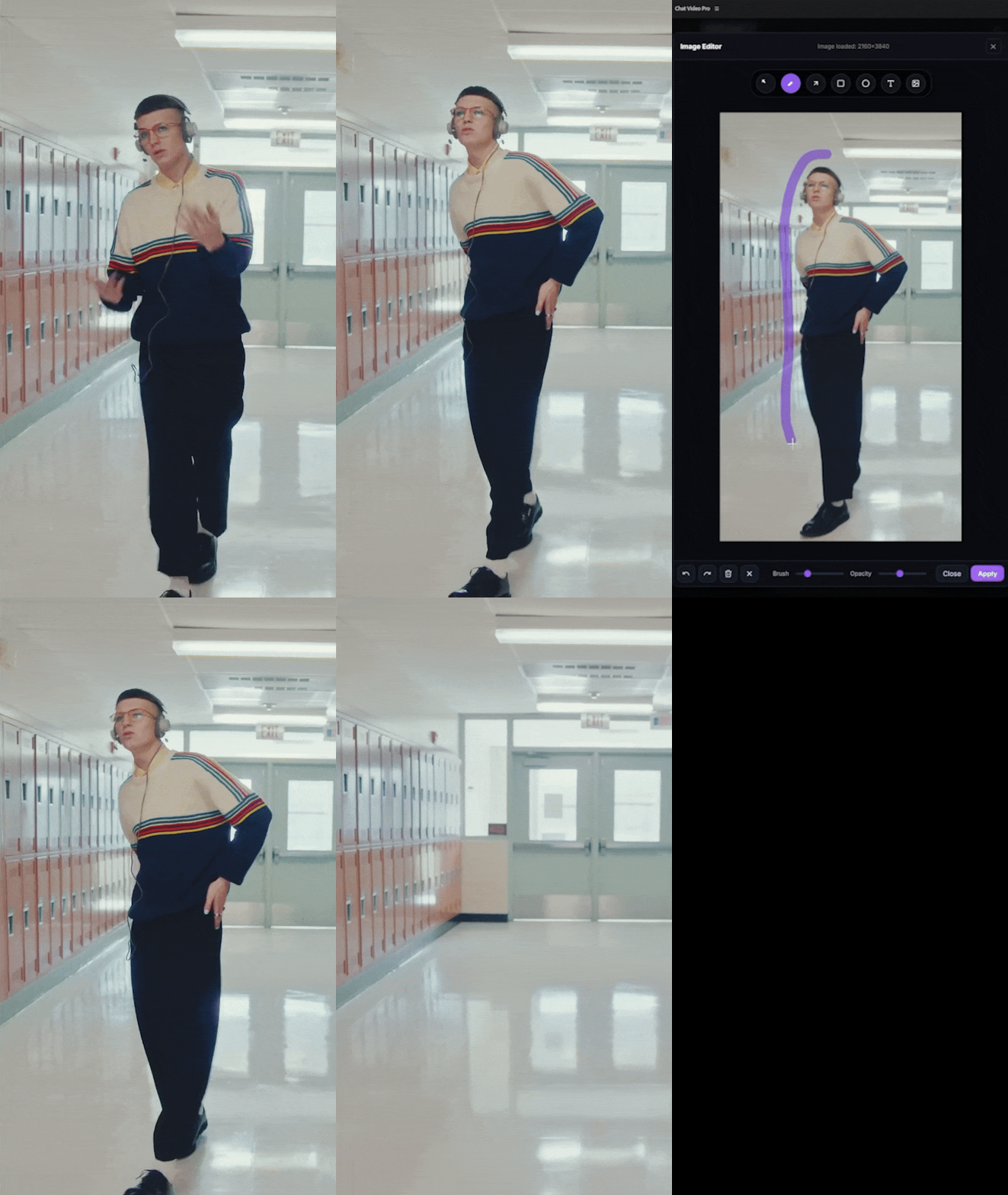
  • SAM3 Rotoscope: Rotoscope anything using a simple text prompt. No After Effects needed.
  • Reshoot Mode (NEW): Change clothing, props, sky, lighting, or background details without reshooting.
  • VFX Mode: Transform your footage into cinematic or stylized looks (fire, neon, anime, dramatic lighting, etc.).

5. AI Tools for Editors (The Everyday Tools)

Editor Tools
“Color grade, upscale, organize, and build assets faster than ever.”
  • Color Grade Assistant: Analyze your footage and auto-apply the right Lumetri look — plus create custom LUTs instantly.
  • Upscalers: Convert HD → crisp 4K using Sima, Bria, or Recraft Crisp models.
  • Instant Background Removal: Remove any logo, object, or person’s background with one prompt.
  • Voice Commands: Trigger any action with voice commands — generate, remove background, cut story beats, and more.
  • Unified Billing Dashboard: One API key. All models. Full usage tracking inside the panel.
×

Ready to level up?

Join the creators who stopped editing the hard way. Your future self will thank you.

Why Editors Love It

Stops Tab Switching
Everything in one window
Supercharges Editing
AI directly in your timeline
Total Agency
Control over video models
Click to play

“I’ve tried every ‘AI for editors’ tool—nothing comes close to having GPT directly inside my timeline. ChatVideoPro saves me hours every week. Total game changer.”

JR
@Jordan_R

“The clarity and speed are insane. It feels like having an assistant editor who never gets tired and always gives sharp, usable ideas.”

MK
@MikaK_edits

“Dropped in a 90-minute interview and CVP instantly pulled the best soundbites. That alone paid for the tool.”

AL
@AlexLens_io

“Setup took under a minute. Using my own API key makes it feel secure and professional, not gimmicky.”

DP
@DeepCut_Pro

“The highlight detection is wild. It found beats in my documentary interview that I had completely missed.”

KM
@Karen_M_Films

“ChatVideoPro feels like a real assistant editor in Premiere. Not hype — it genuinely handles the boring parts so I can stay creative.”

JL
@JLee_Cuts

“The color grading feedback is shockingly accurate. It’s like having a senior colorist giving notes — right inside Premiere.”

RG
@RyanGrayMedia

“Finally, an AI tool built for editors, not hobbyists. It understands pacing, tone, and context. It’s actually useful in real workflows.”

EB
@EmmaB_Editor

“I’ve doubled my output without sacrificing quality. Clients literally asked if I hired another editor.”

TS
@TonySlicePost

Try ChatVideoPro with zero risk

If you're not faster in 7 days - get your money back.

7 Day Money Back Guarantee
Instant download
One-time purchase — lifetime access
No subscription ever

Frequently Asked Questions

Everything you need to know about ChatVideoPro.

How does pricing work? Is this a subscription?

No subscription. No credits. No hidden fees.

You purchase ChatVideoPro once. AI generations are billed directly by the model provider (Fal.ai, Google, OpenAI, etc.) at true market-cost pricing — not inflated reseller rates.

You only pay for what you generate. It’s the cheapest way to use Sora-level tools inside Premiere.

How much do AI video & image generations cost?

Depends on the model. Typical ranges:

Video (Sora / VEO / Kling / Hailuo / Wan):
$0.03–$0.08 per sec (entry-level)
$0.10–$0.25 per sec (high-end cinematic)

Images: ~$0.002–$0.02 per image

Most creators spend less per month than a single subscription app.

Do you offer refunds?

Yes — a 7-day refund window if ChatVideoPro doesn’t fit your workflow.

Which version should I buy? Can I upgrade later?

We offer three options:

  • Base Package: The full CVP extension
  • Workflow Bundle: CVP + Project Folder Template
  • Creator Bundle: CVP + Template + Export Presets (best value)

You can upgrade to the Creator Bundle anytime.

What can ChatVideoPro do inside Premiere Pro?

Everything stays inside your workflow:

  • Generate Videos & Images: Use 10+ models (Sora 2, VEO 3.1, Kling, etc.)
  • Timeline Prompter: Generate B-roll, transitions, or shots directly into your sequence.
  • Story Cutter Assistant: Instantly find best moments & auto-assemble selects.
  • Color Grading Assistant: Analyze frames and apply looks with one click.
  • Canvas Editor: Ratios, crops, layers, prompt regions, masks.
  • Brand Voice Writing: Hooks, captions, SEO, CTAs.
  • Voice Commands: Hands-free workflow & prompting.

CVP becomes your AI command center inside Premiere Pro.

How is this different from Runway, Pika, Firefly, or Higsfield?

ChatVideoPro is built for editors, not just hobbyists.

  • No monthly subscription
  • No reseller markups
  • No watermarks
  • Uses real model providers directly
  • Works inside Premiere Pro (not another website)
  • Gives you 10+ AI models in one tool

It replaces all the separate apps that normally break your flow.

How many models does ChatVideoPro support?

10+ leading AI models, including:

  • OpenAI Sora
  • Google VEO
  • Kling
  • Hailuo
  • Wan
  • Nano Banana Pro
  • Flux
  • SeeDream

And more added regularly.

Does this replace my editing skills?

No — it amplifies them. You still make the creative decisions. ChatVideoPro handles the repetitive tasks and gives you tools you couldn’t do manually. It makes you faster, not obsolete.

Can I use the outputs for commercial projects?

Yes — all outputs are commercially usable. Just follow the terms of the model provider you choose.

Do the images or videos have watermarks?

No watermarks added by ChatVideoPro. Outputs are clean.

Do I need my own API key? How hard is setup?

Setup takes about 60 seconds. You add one API key, and ChatVideoPro handles the routing to supported models.

Your billing stays in one place, under your control. No complicated accounts or juggling multiple keys.

What if I need help?

Priority support via email + Discord. Sending a short screen recording helps us solve issues fast.

How do I update ChatVideoPro?

Open the panel → Updates. Download the latest version anytime. All future updates are included for life with your purchase.

Do I need a powerful computer for this?

Not for AI generation. Everything runs in the cloud, so any machine that runs Premiere smoothly can run ChatVideoPro.

Does ChatVideoPro slow down Premiere Pro?

No. It’s lightweight, sandboxed, and doesn’t touch playback or export performance. You can keep editing while generations run in the background.

Is my media private? Where do my prompts & keys go?

Your API key is stored locally on your device. Prompts go directly to the model provider.

ChatVideoPro stores nothing. No media, no prompts, no logs, no tracking.

Does ChatVideoPro work with the Premiere Pro BETA?

Yes — fully compatible. It also works great with Adobe’s new Magic Mask and the evolving timeline APIs in the BETA branch.

Does this work on Mac and Windows?

Yes — fully supported on Intel Mac, M1/M2/M3 Apple Silicon, and Windows 10/11.

Can I install this on multiple computers?

Yes — you can install it on your desktop + laptop as long as they’re your machines.

Does this work with After Effects?

Not yet — Premiere Pro only. After Effects version is in development.

Have another question? Ask the live chat or contact our team.