v3.3.2
October 14, 2026
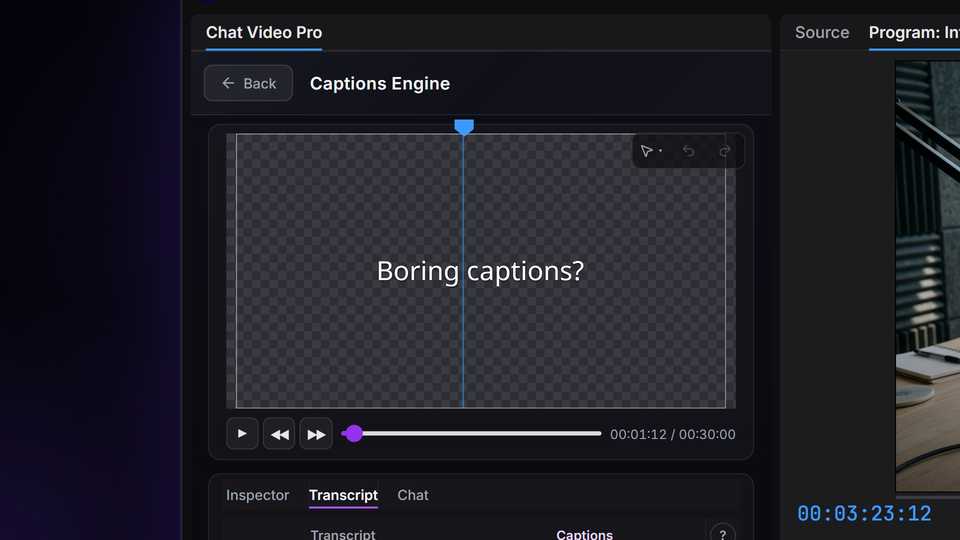
The Captions Engine is here: styled, animated captions built inside Premiere Pro, plus Gemini 4 and Nano Banana 2.1.
✨ New
- The Captions Engine — Styled, animated captions, built inside Premiere Pro. You never leave Premiere: bring a transcript, pick a look, and the captions land on your timeline as one transparent clip, not a MOGRT, so playback stays smooth. There are no credits and no per-minute fees. The Captions Engine is included with every version of Chat Video Pro. Fix a word and export again, and only the captions that changed re-render. Choose from 49 styles, trendy and classic, with word-by-word timing. Tune a look, save it as a preset, and star it as your default. Transcripts come from Story Scribe, with word-level timing in 99+ languages, or from the transcript Premiere already made, at no cost. An optional AI pass can find the punch words. It shows its price before it runs, and you never need it.
- Gemini 4 Argon — Gemini 4 Argon replaces Gemini 3.1 Pro in the model picker.
- Nano Banana 2.1 — Nano Banana 2.1 replaces Nano Banana 2 everywhere, including the Studio workflows that used it.
🐛 Bug fixes and reliability
✓
Selects timing — Selected moments now start after filler words like "Yeah" or "So" and end on a finished sentence, matching the main rough cut.