Story Cutter
How to Create Agentic Rough Cuts with GPT-6 Astra in Premiere Pro
Chat Video Pro is our product — a Premiere Pro panel whose Story Cutter assistant turns a native transcript and a written brief into an editable rough cut. This guide is the GPT-6 Astra version of that workflow: prepare the source sequence, brief the model with an outcome and constraints, review the plan, run parallel Story Cutter passes, and keep human finishing where it belongs. An agentic rough cut means the model plans, makes tool calls, and can hand slices of the job to sub-agents; you still approve the plan, insert the assembly, and own the picture. It is not an argument that Astra is the only model in the picker. The Story Cutter page is the product walkthrough. The AutoEdit comparison is the sourced side-by-side with another Premiere-native spoken-word cutter.
What “agentic rough cut” means
A silence-removal pass is not an agentic rough cut. Silence tools listen for gaps. An agentic pass starts from intent: you describe the video you want, the model writes a plan, it calls Story Cutter tools against the transcript, and it can hand slices of the job to sub-agents. What you get back is reviewable — a paper cut with timestamps, then an editable Premiere sequence — not a locked file.
Planning is the difference you feel. GPT-6 Astra can structure the piece before any clip is trimmed. Tool calls turn that plan into selects. Delegated work is how one brief can produce a long-form assembly plus social variants in the same run. None of that is unsupervised final editing. Treat the output as a string-out: if the plan is wrong, fix the plan; if a soundbite is the wrong take, swap it on the timeline. Story Cutter is dialogue-first. B-roll, titles, music, and legal context stay in the human finishing pass.
Prepare the Premiere source sequence
Give Story Cutter one source of truth. Put the interview or talking-head footage on a dedicated sequence. Sync multicam before you transcribe; stacked angles on V1 and V2+ can travel with an insert when each camera is its own clip at the same timecode. Name the sequence so you can find it later.
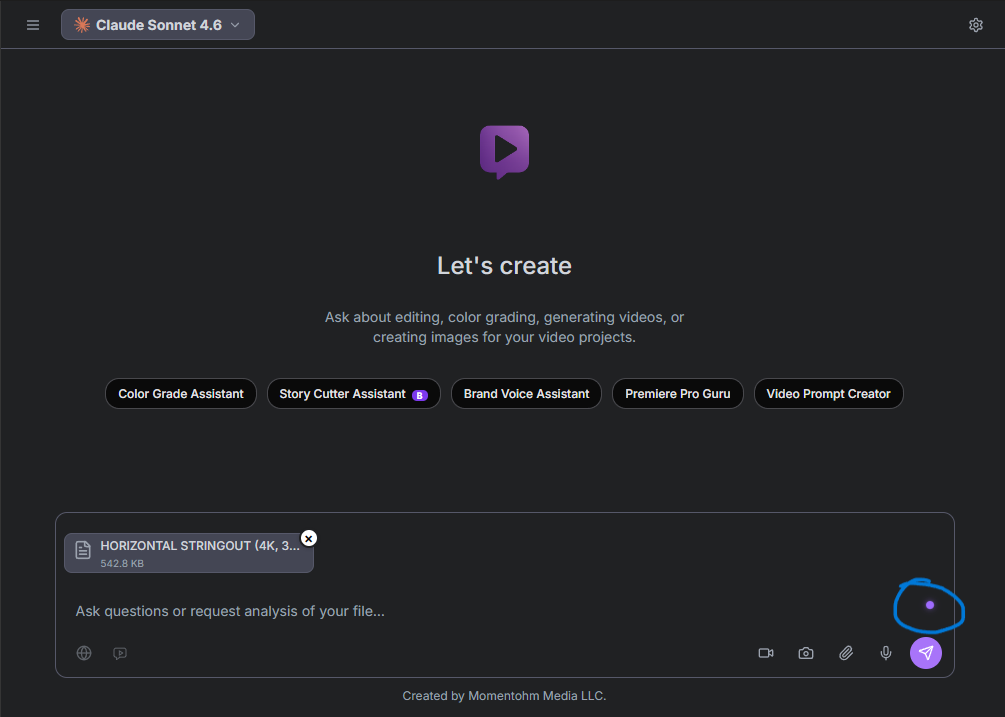
Transcribe in Premiere’s Text panel, then export a native JSON transcript. Generic SRT or a text file from another app will not carry the clip-position anchors Story Cutter needs. Attach that JSON in the Story Cutter composer and link the purple source pill to the sequence you transcribed.
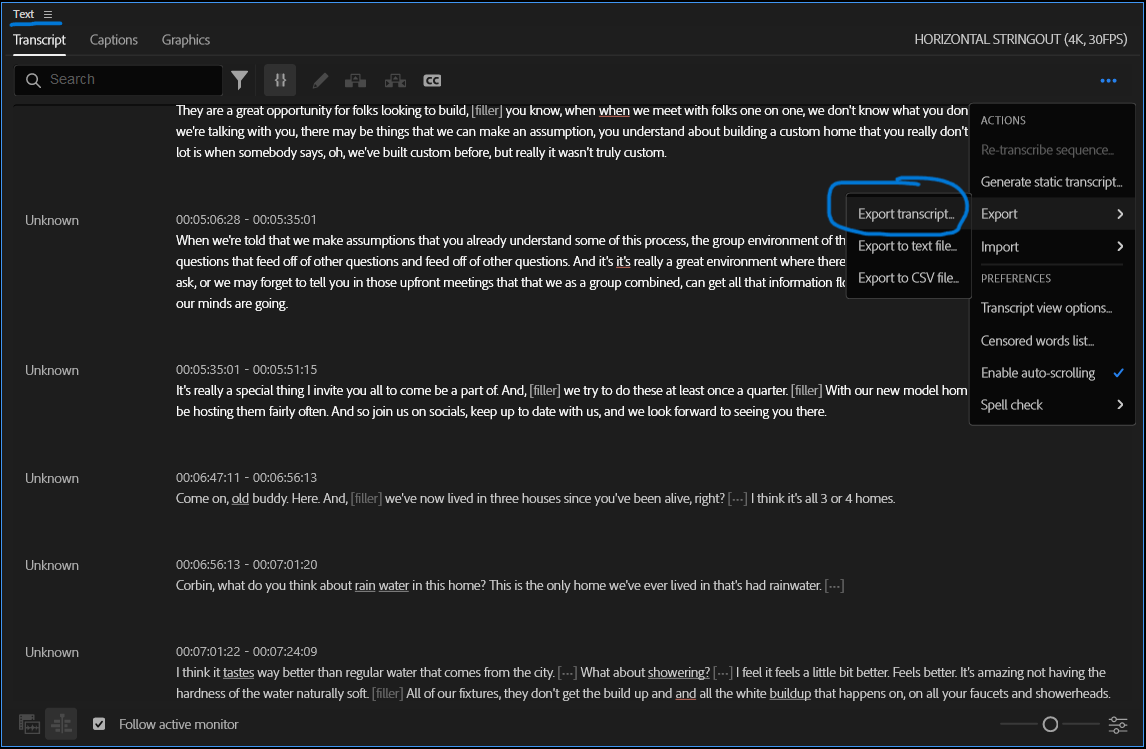
Do not move clips after that export. Timecodes lock to the positions that existed when you transcribed. Rearranging the source means a fresh JSON. Optional creative briefs attach the same way if the cut has to honor written constraints.
Brief GPT-6 Astra with outcome and constraints
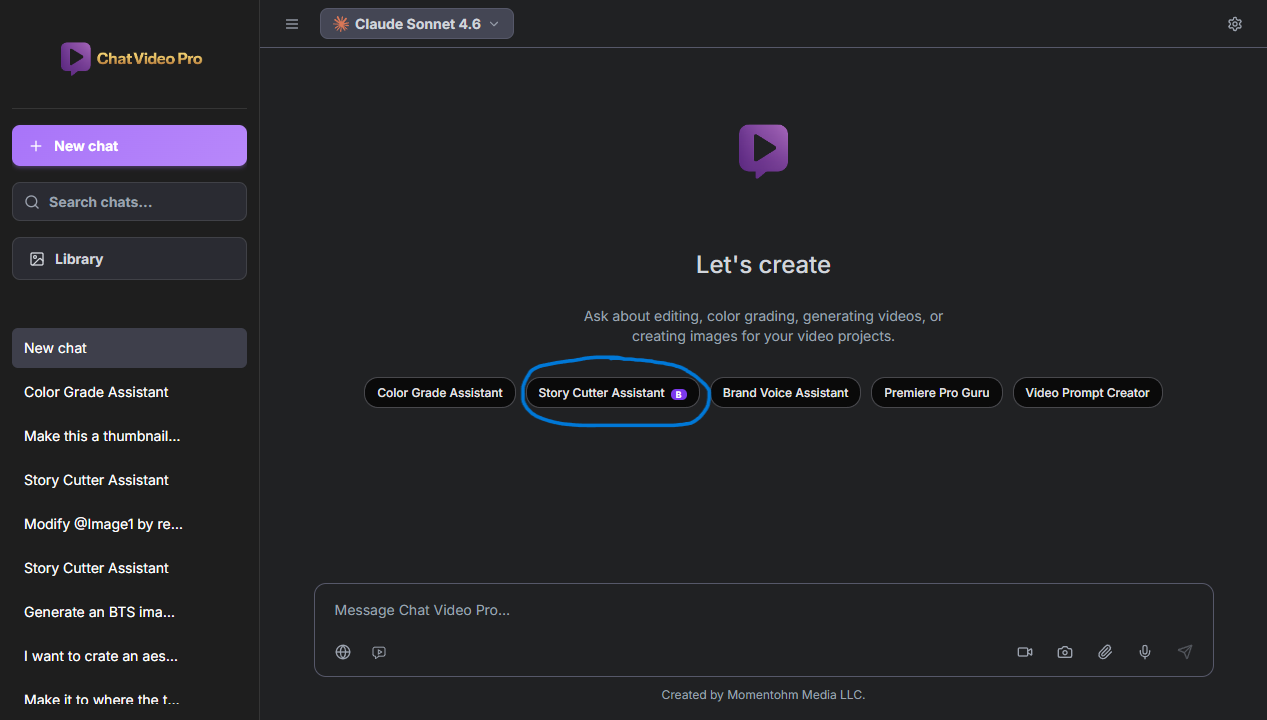
Pick GPT-6 Astra in the Story Cutter model picker, then write the cut you want — not the buttons you want pressed. A usable brief names the outcome and the fences: runtime, platform, audience, required moments, exclusions, and how the piece should open and close.
- Runtime — target duration, not “keep it tight”
- Platform — YouTube, TikTok, internal, or a conference recap
- Audience — who has to understand the piece without extra context
- Required moments — named lines, topics, or proof the cut must keep
- Exclusions — tangents, unreleased product, or a speaker you will not feature
- Hook and CTA — how it should open and where it should land
A brief you can paste
Cut a 9-minute YouTube interview for first-time founders. Audience: operators deciding whether to make their first hire. Open on the moment she says the first hire almost bankrupted the company. Keep the hiring rubric and the 90-day plan. Drop the office-tour tangent and any mention of the unreleased product. Close with a subscribe CTA that points to the job-description template in the description. Educational, not hype. If a required moment is missing from the transcript, ask me before substituting a different story.
That last sentence matters. Agentic systems will fill a hole if you let them. Tell Astra that missing proof is a question, not a license to invent a cleaner narrative. Voice dictation in the composer is fine. The model needs an outcome it can fail against, not command syntax.
Review the plan before the cut
Story Cutter can think through the edit before it starts cutting. Read that plan. If the structure is wrong, you will be ripple-trimming a story you never agreed to. Clarification is cheaper than a silent rewrite. When the brief is ambiguous, a good pass asks which founder story is the A-plot. Answer in the same thread.
Plan review is how you prevent silent creative substitution. The model should not promote a funnier tangent into the hook, or drop a required moment because a cleaner sentence sat nearby. If the plan lists sections you did not ask for, send it back. Restate any omitted constraint and ask for a revised plan. Only then tell it to cut.

Click timestamps on the paper cut to preview on the source sequence. That is still planning, not committing. The full assembly waits until the structure is one you would defend to a client.
Run parallel Story Cutter passes
One transcript can support more than one deliverable. Ask for a long-form cut, a select pass, and social variants in the same conversation. Story Cutter can break that job into smaller tasks and give the slices to sub-agents. Each pass should come back as its own editable result, not a mash of three stories on one track.
A practical split: the long-form pass honors the nine-minute brief; the select pass is a marked string-out of keepers; the social variants are short extracts with their own hook and CTA. /batch is the slash-command version of that request. Batch variants stay separated so a TikTok reject does not poison the YouTube assembly.
- Long-form — the client-facing narrative on the runtime you briefed
- Select pass — keepers and markers, not a finished story
- Social variants — short extracts with their own open and close
If one variant fails, recover that cut without throwing away the others. Re-brief the weak pass instead of regenerating the whole batch. Parallel work is only faster when you can reject a piece without restarting the job.
Insert and refine in Premiere
Park the playhead where the assembly should start, then insert. Story Cutter places normal Premiere clips, section markers, and sequences — not a rendered movie and not an XML round-trip. Timeline review starts the moment the clips land: play the assembly as if a junior editor handed it to you.
Refine with the tools you already trust. Ripple trim the breath that survived. Lift a take that sounded fine on paper and dull on the monitor. Add Studio B-roll after the spoken spine exists. If a section is long, stay in the same thread and ask to shorten it or swap the hook. You do not re-export JSON unless you moved source clips.
What the editor still owns
The agent can assemble speech. The editor still owns the cut. Performance judgment is yours: a line can be on-brief and still be the take where the speaker is performing for the camera. Pacing is yours: a nine-minute target is a fence, not a reason to keep a dead middle. Visuals and music are yours — Story Cutter does not grade, compose, or choose B-roll.
Legal and context checks stay human. A model can keep a required moment and still miss that the speaker walked the claim back, or that a product name should not ship in a sponsor-safe cut. Client approval is yours. The human finishing pass is where taste, risk, and the actual audience enter the sequence.
When another model is a better fit
GPT-6 Astra is one option in a picker, not a default you have to justify leaving. Chat Video Pro still lets you choose Claude, GPT, Gemini, Grok 4.7, or Kimi K3 — and GPT-5.6 Terra remains selectable if a show already behaves well on it. Switching models does not retire the others. Use the model that matches the job in front of you.
- GPT-6 Astra — current OpenAI reasoning on briefs, plans, and Story Cuts
- GPT-5.6 Terra — leave it selected when a series already works on it
- Claude — long transcripts, tangled briefs, interview structure that needs a slower read
- Gemini — a faster first pass, or a very long transcript that benefits from a wide context window
- Grok 4.7 — quick editorial reasoning when you want several cut ideas from the same source
- Kimi K3 — multi-step find-the-moments work that turns into selects and then into cuts
There is no honest rule that GPT-6 Astra always wins. A ten-hour dump may belong on Gemini. A messy three-guest interview may belong on Claude. A batch of social extracts may belong on whatever model you already trust for short-form. Run the same brief on two models when the project can afford it, and keep the paper cut you would actually finish.
Frequently asked questions
- Does GPT-6 Astra edit video directly?
- No. GPT-6 Astra reasons over the transcript and your brief. Story Cutter is what performs the Premiere edits and returns clips you can still trim. The model does not open your media files or write a finished movie.
- Is the generated rough cut destructive?
- No. Inserts are normal Premiere clips, markers, and sequences. You can undo, ripple trim, lift a take, or throw the assembly away. There is no locked render and no XML round-trip required to keep editing.
- Can Story Cutter create more than one version?
- Yes. Parallel Story Cutter passes and batch variants — long-form, a select pass, and social extracts — each return their own editable result. Recover a weak variant without regenerating the ones that worked.
- Do I have to use GPT-6 Astra?
- No. Claude, GPT-5.6 Terra, Gemini, Grok, and Kimi stay in the picker. Use Astra when you want that OpenAI pass; leave GPT-5.6 Terra selected if a project already works there. The workflow is the same across models.
- Does this replace an editor?
- No. The editor still owns performance judgment, pacing, visuals, music, legal and context checks, and client approval. An agentic rough cut is a draft. Human finishing is the job.
Try Chat Video Pro
AI rough cuts, Studio generation, and wholesale billing — all inside Adobe Premiere Pro. One-time license, no platform subscription.
Related guides
- The Editor Stays in Control: A Practical Philosophy for Agentic Video Editing →
- How to make an AI rough cut inside Premiere Pro →
- Transcript-based editing: the fastest workflow for interview and podcast video →
- The Best AI Rough Cut Generator for Premiere Pro (2026) →
- Stay in creative flow with AI tools inside Premiere Pro →
- Why pay-per-use AI beats credit-based subscriptions for editors →
Technical reference: docs.chatvideopro.com