Pricing
Why pay-per-use AI beats credit-based subscriptions for editors
Credit-based AI subscriptions are built for steady monthly consumption: you buy a pool of credits, hope you use them before they expire, and rarely see a clean per-shot invoice line. Post houses and freelance editors do not bill that way — projects spike during a deliverable week and go quiet between clients. Chat Video Pro separates the product from the meter: you purchase a one-time Premiere license, connect your own Fal.ai API key, and pay providers at published pay-as-you-go rates while the Usage panel inside the panel shows 24-hour, 7-day, and 30-day totals. There is no mandatory Chat Video Pro subscription for generation, no markup credit multiplier, and no platform fee per render beyond what FAL and optional chat providers charge. This article explains the pricing model documented on Gitbook — license cost, generation economics, and how to monitor spend without leaving Premiere.
The subscription credit trap for video editors
Monthly credit pools punish uneven workloads. Busy months burn credits you already paid for; quiet months waste the subscription. Bundled models you never touch still sit inside the plan. Client billing gets harder because "credits" do not map to seconds of Seedance, Veo, or Kling, or to tokens on a Story Cutter pass.
Wholesale routing flips the incentive: you add funds to FAL when a project needs generative B-roll, upscaling, or rotoscope work, and you stop spending when the job ships. Story Cutter and timeline-native tools can run with only LLM provider costs when you are not generating pixels.
One-time license plus FAL generation costs
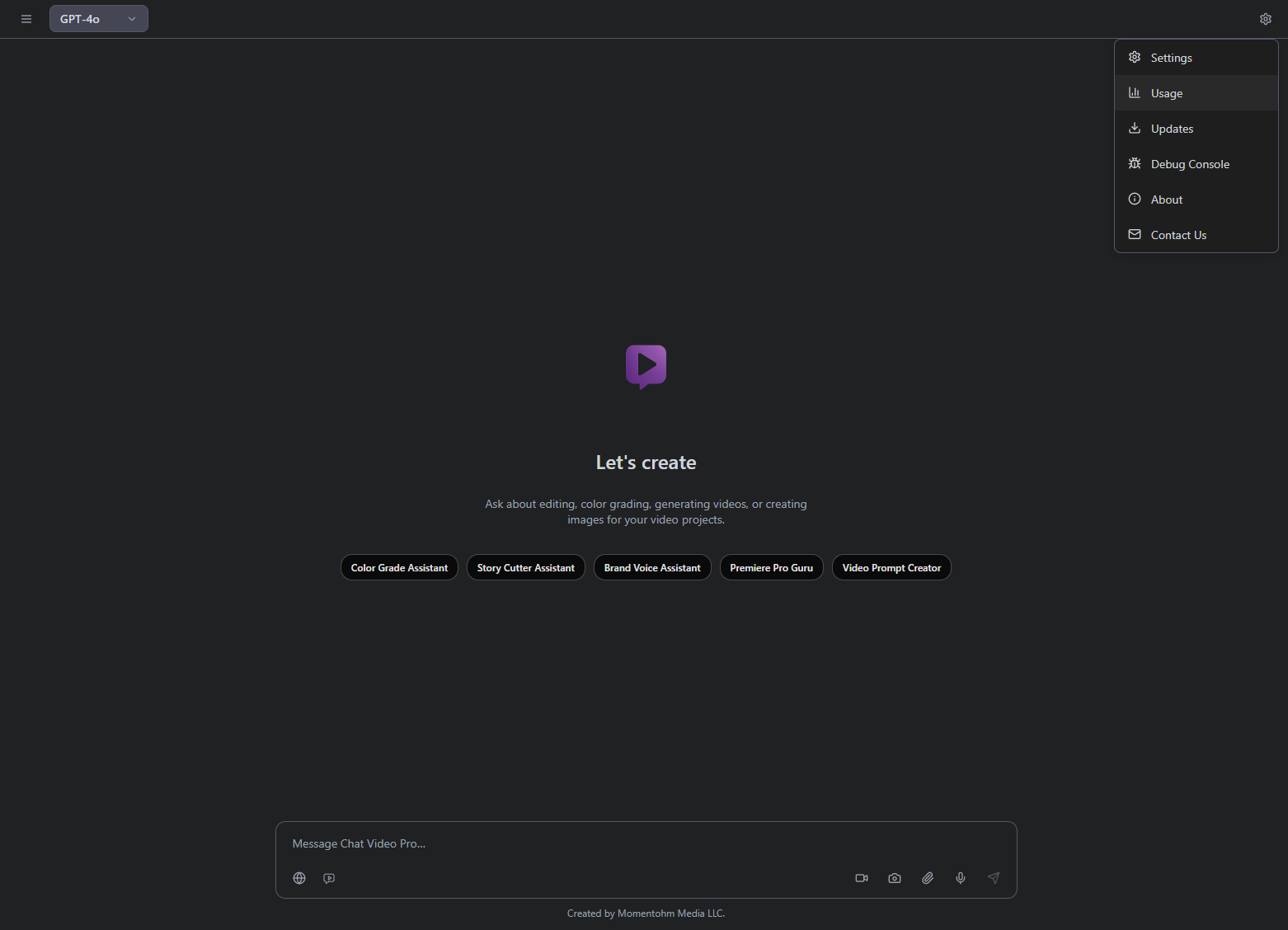
Chat Video Pro requires a one-time license purchase (packages are listed on chatvideopro.com/products). License keys arrive by email; multiple seats are available if you need more than one machine. All video, image, and most AI operations run through Fal.ai once you paste an Admin Key during setup. You create the FAL account, add credits, and see usage from Gear → Usage without a separate billing portal tab for every check-in.
How the Usage panel tracks wholesale spend
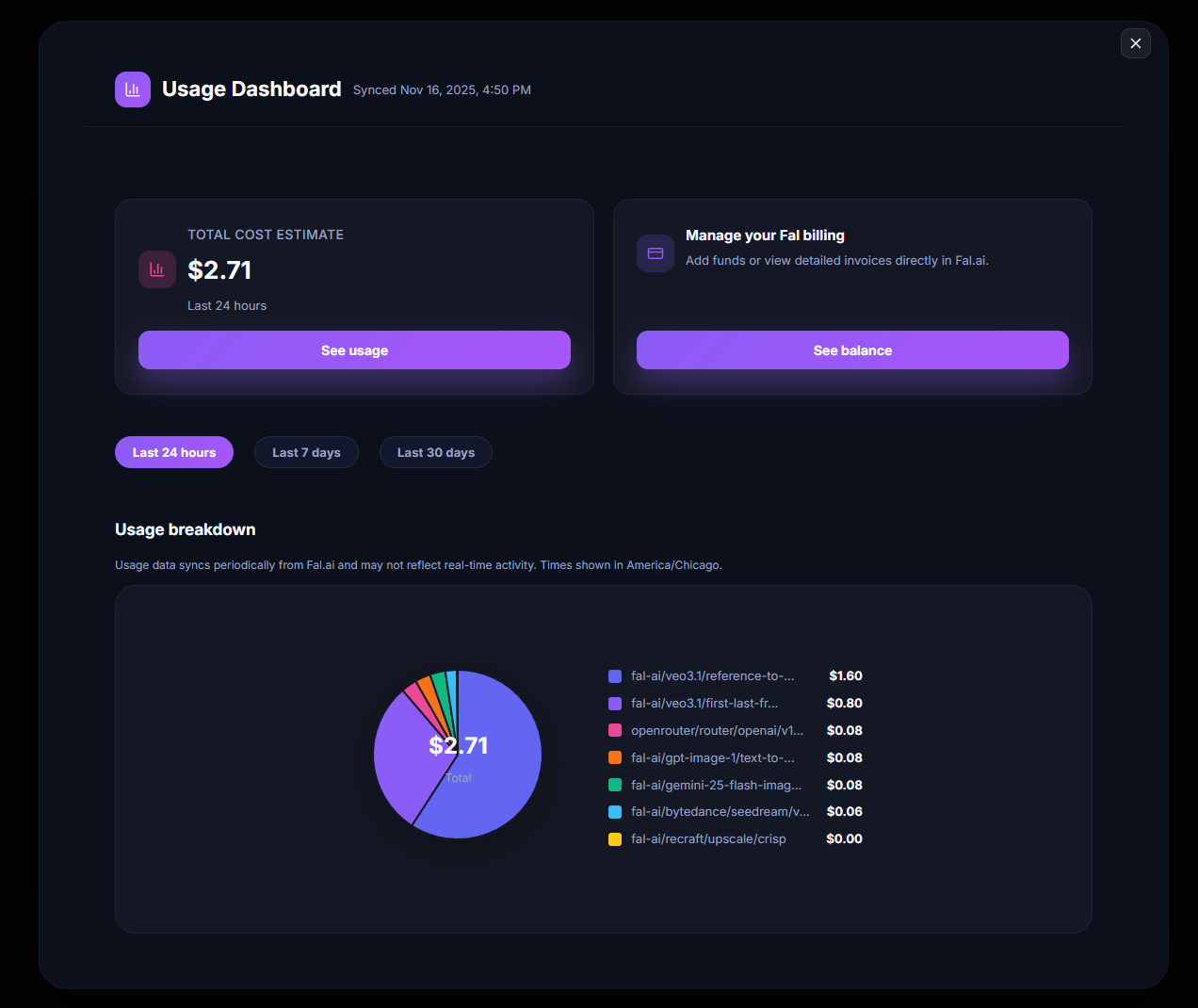
Open Gear → Usage to view last-24-hour, 7-day, and 30-day spend, generation counts, and breakdowns by operation type. Refresh syncs with FAL; View in Fal Dashboard opens the provider billing UI for line-item review. Add Credits jumps straight to funding. Because data comes from the FAL API, you can reconcile project costs against client pass-through lines instead of guessing internal credits.
Story Cutter costs in real numbers
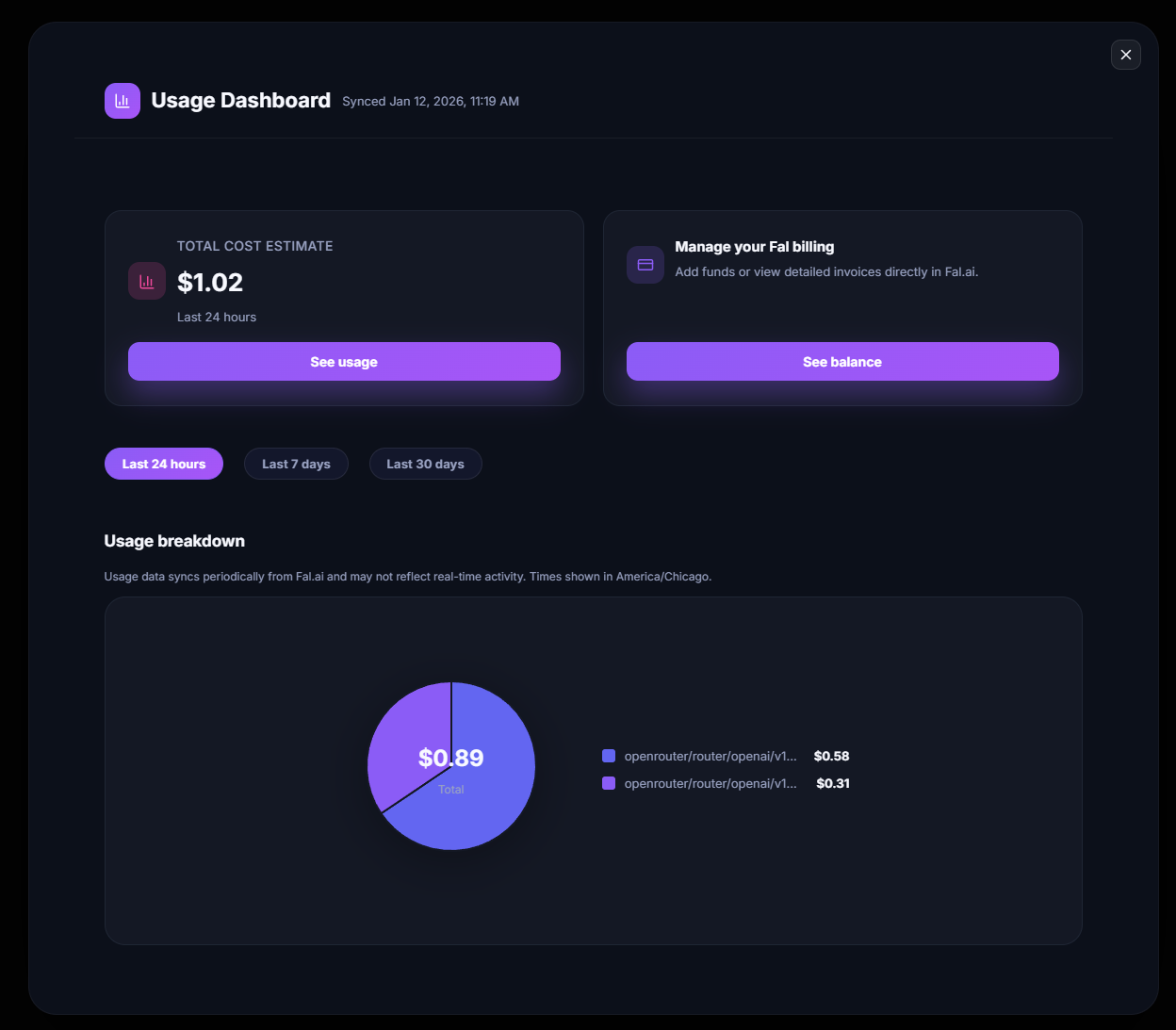
Documentation cites approximate Story Cutter costs on long transcripts: a two-hour interview might land around $0.10–$0.30 per pass depending on whether you route through Claude, GPT Thinking, or Gemini — input on the order of tens of thousands of tokens, output in the low thousands. That is intentionally separate from per-second video model pricing (Seedance, Veo, Kling, etc.), which you choose per Studio job.
Check fal.ai/pricing for live video rates; Chat Video Pro does not add a platform markup on those jobs. Use preview modes where available (for example SAM 3 Track Frame before full video) to cap experiments.
Passing AI costs through to client budgets
Transparent usage logs make it practical to quote generative B-roll, reshoots, upscale passes, and transcript-driven rough cuts as pass-through expenses. Export thinking from the Usage panel plus FAL dashboard CSVs when finance needs receipts. Editors on retainer can set FAL budget alerts at the provider while keeping the Premiere license as a capital expense.
Refund policy and pricing FAQ
The base Chat Video Pro package includes a seven-day money-back guarantee (Gear → Contact Us or the support email in About). Generation spend is between you and FAL — refunds on AI usage follow FAL policy. Extended pricing questions are answered on the dedicated Pricing FAQ page linked from the docs hub.
Full pricing and Usage reference on Gitbook
Model-by-model tables, cost optimization tips, and FAQ entries are maintained on Gitbook so rates can update without redeploying the marketing site.
→ Pricing: https://docs.chatvideopro.com/getting-started/pricing — Usage panel: https://docs.chatvideopro.com/getting-started/interface-overview/usage-panel — Pricing FAQ: https://docs.chatvideopro.com/troubleshooting-and-faq/pricing-faq
Frequently asked questions
- Is Chat Video Pro itself a subscription?
- No — the plugin is a one-time purchase; ongoing costs are optional AI generation you choose to run.
- Do I need my own fal.ai account?
- Yes for wholesale routing — you connect keys in settings and control spend at the provider.
- Can I cap or monitor spend?
- Use the Usage panel and FAL dashboard alerts; refresh inside Premiere before blaming a failed job on balance.
- What if I do not generate AI video?
- Story Cutter and timeline tools still work; provider costs apply when you run generative Studio or billed LLM routes.
Try Chat Video Pro
AI rough cuts, Studio generation, and wholesale billing — all inside Adobe Premiere Pro. One-time license, no platform subscription.
Related guides
- How to make an AI rough cut inside Premiere Pro →
- The best AI video generation models for cinematic work in 2026 →
- How to install an AI plugin in Premiere Pro (2026 guide) →
- Transcript-based editing: the fastest workflow for interview and podcast video →
- Multi-angle AI generation: replace multi-cam shoots inside Premiere →
Technical reference: docs.chatvideopro.com