Where it lives
Editor environment
Chat Video Pro
Inside Adobe Premiere Pro (CEP panel)Eddie AI
Web app and Mac/Windows desktop app (plus MCP clients), with a Premiere extension bridge — not a CEP panelSuggested fitChat Video Pro
Comparison
Competitor pricing checked:
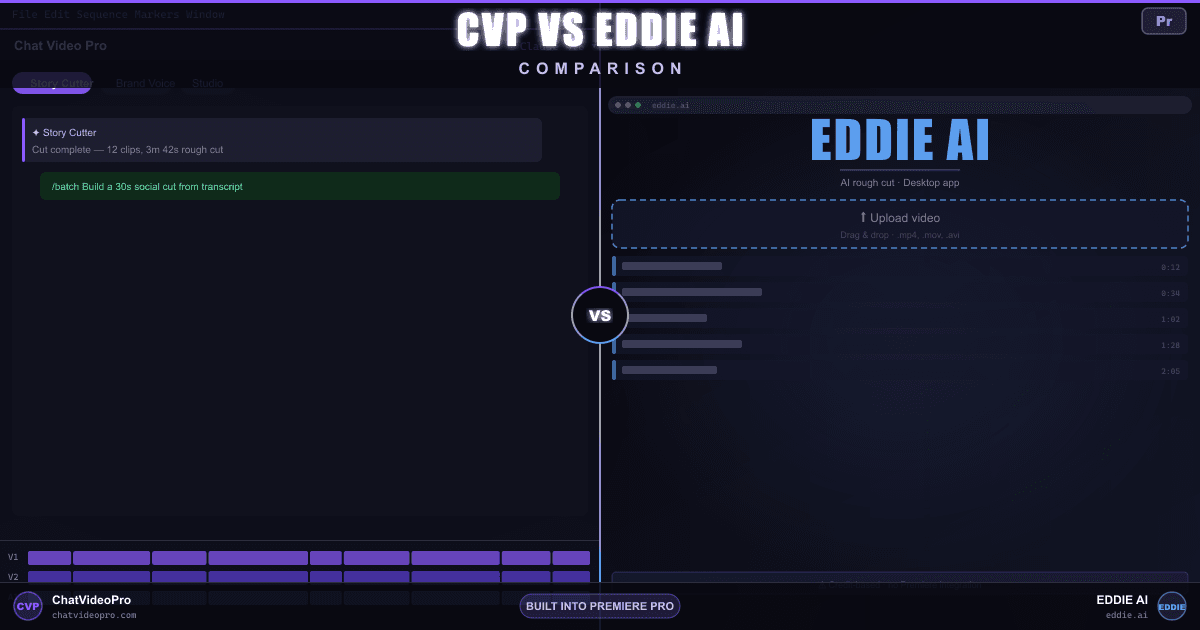
Compare Eddie AI and Chat Video Pro for rough cuts, generated B-roll, animated captions and audio. Eddie uses its own editing workspace; CVP works in your active Premiere sequence.
At a glance
Capabilities, access and limits, with unknowns kept explicit. A tie does not establish equal quality.
Audio access: Audio Expansion is included in the $199.99 Creator Bundle and while a $24.99/mo Creator Pass is active. For Base or Teams owners, the $69.99 one-time add-on requires an existing CVP license. Provider usage is billed separately.
Editor environment
Chat Video Pro
Inside Adobe Premiere Pro (CEP panel)Eddie AI
Web app and Mac/Windows desktop app (plus MCP clients), with a Premiere extension bridge — not a CEP panelLicense + ongoing cost
Chat Video Pro
$149.99 one-time (or an optional $24.99/mo Creator Pass) + wholesale AI usageEddie AI
Eddie AI sells non-expiring credit packs: 1,000 for $10, 5,000 for $45, 15,000 for $120 and 50,000 for $350; Enterprise is quoted by sales. An optional yearly credit subscription is offered in the app, without a public price on this page, as checked on 2026-10-18.Where media stays during the cut
Chat Video Pro
Story Cutter reads the active Premiere sequence and sends transcript/context to your chosen AI provider.Eddie AI
Import local media, cloud assets or an editing project into Eddie; assemble there and send cuts back to a supported NLE.AI first pass from transcript
Chat Video Pro
Yes — Story Cutter on timeline (no upload for the cut)Eddie AI
Yes — transcript + guide/script in Eddie; picks best takesAI stills and B-roll inside NLE
Chat Video Pro
Yes — Cinematic Lab and Studio image modelsEddie AI
Original video B-roll generation is documented in Eddie. A standalone still-image generation workflow was not confirmed on the checked pages.Handoff to finish edit
Chat Video Pro
Native Premiere project / timelineEddie AI
Premiere, Final Cut, Resolve and OTIO handoff, plus rendered video; Avid integration is described as beta. Confirm feature preservation for your export format.AI-generated extra angles from a single source clip (different from editing existing multicam)
Chat Video Pro
Yes — Multi-Angle Generation in StudioEddie AI
Existing multicam editing and reference-guided video generation are documented. A dedicated synthetic-angle tool was not confirmed.AI lighting changes on footage
Chat Video Pro
Yes — Relight in StudioEddie AI
Not confirmed on the official pricing and feature pages checked; ask the vendor if this workflow is essential.Remove objects from frame
Chat Video Pro
Yes — Erase / inpainting in StudioEddie AI
Not confirmed on the official pricing and feature pages checked; ask the vendor if this workflow is essential.Grade inside your NLE
Chat Video Pro
Yes — apply LUTs inside PremiereEddie AI
Color grading is listed inside Eddie, with NLE handoff for further finishing. Verify which grades survive your chosen project export.Text-to-speech narration on the timeline
Chat Video Pro
Voiceover Lab — scripted reads and voice cloning; takes land in Chat and your Library, ready to drag into the edit (Audio Expansion: included in Creator Bundle / active Creator Pass; otherwise $69.99 one-time, requires a CVP Base or Teams license. Provider usage extra)Eddie AI
Yes — Eddie’s credits help centre names voice generation among its paid credit extras, and their pricing page badges Generated Voiceover and Generated Dubbing as new; the read is produced in Eddie rather than on your Premiere timelineGenerated SFX, and sound matched to the picture
Chat Video Pro
SFX Studio — prompt any effect, or Foley mode watches the clip and scores the action (Audio Expansion: included in Creator Bundle / active Creator Pass; otherwise $69.99 one-time, requires a CVP Base or Teams license. Provider usage extra)Eddie AI
Not confirmed on the official pricing and feature pages checked. This is a documentation gap, not proof the vendor cannot perform the task.Original music written for the cut
Chat Video Pro
Music Composer — describe a vibe or let it read the edit (Audio Expansion: included in Creator Bundle / active Creator Pass; otherwise $69.99 one-time, requires a CVP Base or Teams license. Provider usage extra)Eddie AI
Yes — music generation is a paid credit extra on Eddie’s own pricing page, alongside a placement-and-ducking workflow for tracks you supply; the score is written in Eddie rather than on your Premiere timelineSplit a mix into vocals, drums, bass, and more
Chat Video Pro
Stem Separation — every stem returns as a real clip on the timeline (Audio Expansion: included in Creator Bundle / active Creator Pass; otherwise $69.99 one-time, requires a CVP Base or Teams license. Provider usage extra)Eddie AI
Not confirmed on the official pricing and feature pages checked. This is a documentation gap, not proof the vendor cannot perform the task.Create an original shot rather than searching stock
Chat Video Pro
Studio generates video assets through your Fal.ai key for the Premiere project.Eddie AI
Generate video creates original clips from a prompt, with reference-image or opening-frame input, and places them in the Eddie edit. Credit cost is shown before generation.Availability of preset-based animation, not a quality ranking
Chat Video Pro
Captions Engine — reusable animated styles, word-level timing and selective re-export as a transparent video clip in Premiere. Included in every CVP plan; transcription and optional AI enhancement can incur usage charges.Eddie AI
Eddie documents animated word-level captions and styled subtitles in its own editing workspace. Confirm NLE-export preservation for the exact styling you use.Published and reviewed by the Chat Video Pro team. These are documentation-based workflow comparisons, not independent reviews or hands-on speed, quality or accuracy benchmarks. Suggested fit reflects the stated workflow; a tie does not imply identical quality, allowances or export formats.
Page revised . Competitor pricing was checked on . Plans and availability can change; confirm the official Eddie AI pricing and plan details before purchase.
Public feature and integration documentation checked October 18, 2026. A listed capability is not a speed or quality benchmark, and an unlisted capability is not proof that it is impossible. Neutral rows include overlaps and cases where an equivalent could not be verified; read each qualification.
See the actual CVP workflows: Story Cutter, Studio, Captions Engine, and Audio Expansion. Provider usage and Adobe Premiere Pro are separate from the CVP license.
The practical difference
Workflow
Chat Video Pro
Eddie AI
Buying decision
Chat Video Pro
Eddie AI
Verdict
FAQ
Captions Engine is included in every version of Chat Video Pro. Import a Premiere transcript or use Story Scribe, customize an animated style, save your preset, and export styled captions as a transparent video clip on the timeline. Fix words in the panel and re-export changed sections. Plain SRT, VTT and native Premiere caption-track exports are separate, unstyled options. Caption styling has no per-minute fee; transcription and optional AI enhancement can incur usage charges. Transcription coverage is broader than styled-language support, so check the supported styled languages before choosing a workflow.
Choose Eddie for a dedicated assembly workspace with script-guided takes, review and NLE handoff, or for credit packs that can be bought only when a project arrives.
Eddie runs in its own web or desktop workspace and integrates with NLEs. CVP works on your active Premiere sequence. Eddie exports edits for finishing and also produces rendered videos; it is not merely a transcript cleaner.
Packs do not expire. Imports, edit requests and generated extras use credits; the page also shows export in its estimator. An optional yearly credit subscription is offered inside the app, so pay-as-you-go is not the only access model. Current captured prices and any verification gaps appear in the pricing row. CVP offers lifetime ownership or an active monthly Pass; provider usage is billed separately and varies by model and workload. Neither product is universally cheaper.
Audio Expansion is included with Creator Bundle and an active Creator Pass. Base and Teams owners can purchase it separately. Provider usage remains separate. Voiceover Lab saves takes to Chat and Library for dragging into the edit; SFX, music and stems have their own timeline placement workflows.
Keep exploring
Creator Bundle $199.99 one-time, or Creator Pass $24.99/month. Both include Audio Expansion; provider usage is separate.
Premiere Pro required · Mac and Windows · Provider charges are separate
7-day money-back guarantee on one-time Chat Video Pro licenses (Base, Creator Bundle and Teams). Creator Pass subscriptions bill monthly and follow separate cancellation terms. Downloadable add-ons (the Expansion Kit — folder template, export presets and LUTs), the Founder Onboarding call once delivered, and any AI generation already spent are non-refundable. Refunds are processed through Lemon Squeezy. Full terms.