Where it lives
Editor environment
Chat Video Pro
Inside Adobe Premiere Pro (CEP panel)FireCut
Inside Premiere Pro + DaVinci Resolve (Extensions menu)Suggested fitNeutral
Comparison
Competitor pricing checked:
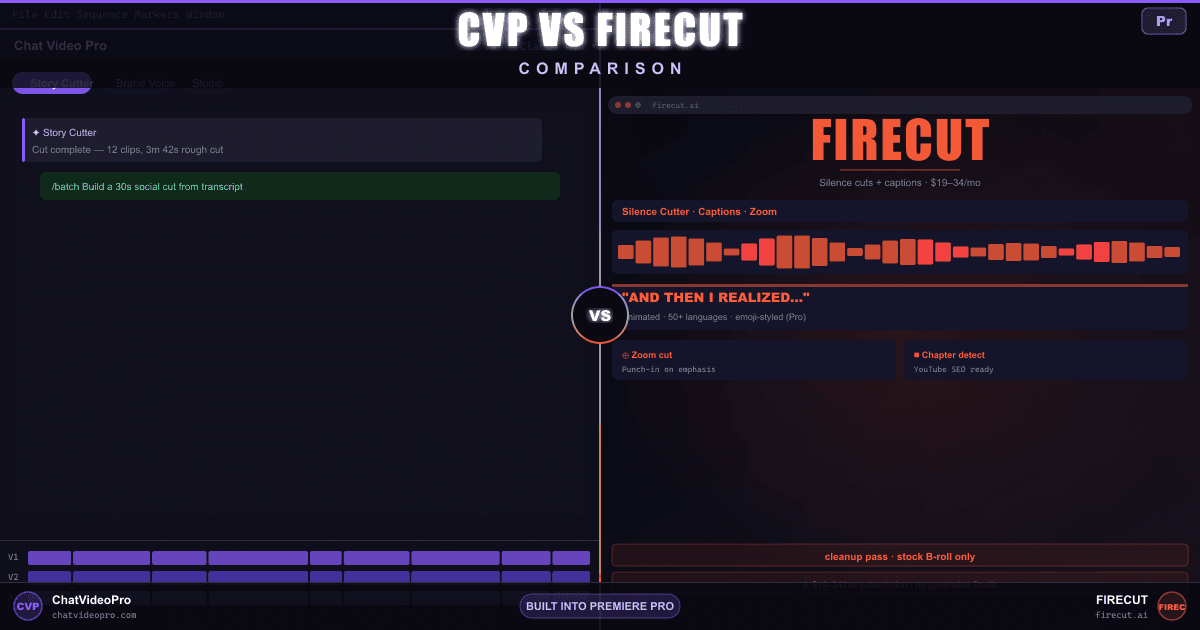
Compare FireCut and Chat Video Pro for cleanup, rough cuts and animated captions in Premiere. Both offer caption presets; compare the editing workflow and plan allowances.
At a glance
Capabilities, access and limits, with unknowns kept explicit. A tie does not establish equal quality.
Audio access: Audio Expansion is included in the $199.99 Creator Bundle and while a $24.99/mo Creator Pass is active. For Base or Teams owners, the $69.99 one-time add-on requires an existing CVP license. Provider usage is billed separately.
Editor environment
Chat Video Pro
Inside Adobe Premiere Pro (CEP panel)FireCut
Inside Premiere Pro + DaVinci Resolve (Extensions menu)License + ongoing cost
Chat Video Pro
$149.99 lifetime or $24.99/mo Creator Pass + wholesale AI usageFireCut
FireCut prices its yearly-billed ladder at Starter $10/mo, Pro $20/mo and Max $34/mo (shown struck through from $39), or $19 / $34 / $44 month-to-month (Max shown struck through from $59), with Team at $34/mo per user always billed monthly, as checked on 2026-10-18.Basic + advanced silence removal
Chat Video Pro
Yes — side effect of Story Cutter transcript-driven assemblyFireCut
Yes — one-click and advanced silence cutting, plus J-cuts, from their entry tier upAvailability of preset-based animation, not a quality ranking
Chat Video Pro
Captions Engine — reusable animated styles, word-level timing and selective re-export as a transparent video clip in Premiere. Included in every CVP plan; transcription and optional AI enhancement can incur usage charges.FireCut
FireCut also offers word-by-word animated captions, editable transcript text and reusable caption presets inside Premiere; its caption allowances depend on the plan.Multi-cam-style switching
Chat Video Pro
Story Cutter supports transcript-led editorial assembly; automatic speaker-switching parity is not established.FireCut
Yes — podcast automatic editing, from their middle tier upEditorial assembly against a target runtime, hook and CTA
Chat Video Pro
Yes — Story Cutter writes a paper edit against the brief and inserts on the timelineFireCut
Partly — Magic cut assembles a draft, will follow a script, carries a pacing control, can set a target duration (changelog), and previews the final edit length; a platform, hook and CTA as brief inputs are not documented on their pricing page or changelogUms, uhs, repeated takes
Chat Video Pro
Yes — via transcript instruction to Claude / GPT-6 / GeminiFireCut
Yes — automated filler, profanity, and repetition cleanup from their middle tier up, on "a new transcription mechanism that works with multiple languages"Auto reframe to punch in on speakers
Chat Video Pro
Manual + AI suggestion via Studio routesFireCut
Yes — Zoom cuts, from their middle tier upAuto-generated chapter markers
Chat Video Pro
Story Cutter outputs section labels usable as chaptersFireCut
Yes — chapter detection for YouTube SEO, from their middle tier upPull moments from long-form
Chat Video Pro
Yes — /social clip, /top 5 soundbitesFireCut
Yes — clip highlights from longform, from their middle tier upAuto-assembled rough cut, not just a cleanup pass
Chat Video Pro
Yes — Story Cutter assembles from the sequence transcript and drops the cut on the timelineFireCut
Yes — Magic cut auto-assembles a first draft in one click, with a pacing control, a review mode that explains why each section was cut, a preview of the final length, and optional zooms, captions and titles (their top tier)Hand it the words, get the assembly
Chat Video Pro
Yes — the brief you send Story Cutter is free-form prose, so a script or outline goes to the model in-context alongside the transcriptFireCut
Yes — a standalone Script guidance feature plus "Edit to a script automatically" on their top tier; Magic cut can also take a script as guidance with fewer manual controlsOpen-ended reasoning over the transcript, on a model you choose
Chat Video Pro
Yes — Claude, GPT-6, or Gemini through your own keyFireCut
Editorial reasoning does happen inside their own features — Magic cut’s review mode explains why each section was cut out — but a choice of model, a key of your own and a free-form instruction over the transcript are not documented on their pricing page or changelogMultiple cuts from one transcript
Chat Video Pro
Yes — /batch ships TikTok, YouTube, and long-form in one messageFireCut
Shorts and longform clip highlights ship as features in their own right, and FireCut Shorts is a product line of its own alongside the Premiere Pro and DaVinci Resolve plugins; a single pass returning several platform-specific cuts is not documented on their pricing page or changelogSeedance, VEO, Kling, Hailuo
Chat Video Pro
Yes — StudioFireCut
Not confirmed on the official pricing and feature pages checked. This is a documentation gap, not proof the vendor cannot perform the task.Post-production generative stack
Chat Video Pro
Yes — Studio: Cinematic Lab, Motion Director, Relight, Rotoscope (SAM3), Erase, AI Transitions, Avatar Studio, ReframeFireCut
FireCut now documents AI motion graphics with suggested layouts, editable themes, labels, charts, counters and diagrams. Dedicated relight, rotoscope and object-erase workflows were not confirmed.YouTube-ready stills from frames
Chat Video Pro
Yes — Studio thumbnail modeFireCut
Not confirmed on the official pricing and feature pages checked; ask the vendor if this workflow is essential.Text-to-speech narration on the timeline
Chat Video Pro
Voiceover Lab — scripted reads and voice cloning; takes land in Chat and your Library, ready to drag into the edit (Audio Expansion: included in Creator Bundle / active Creator Pass; otherwise $69.99 one-time, requires a CVP Base or Teams license. Provider usage extra)FireCut
Yes, and included in the plan rather than sold separately — AI voiceover is a top-tier bullet on their pricing page, and their changelog has since opened it to the tier below on a limited quota, with a searchable voice browser and presets in the panelGenerated SFX, and sound matched to the picture
Chat Video Pro
SFX Studio — prompt any effect, or Foley mode watches the clip and scores the action (Audio Expansion: included in Creator Bundle / active Creator Pass; otherwise $69.99 one-time, requires a CVP Base or Teams license. Provider usage extra)FireCut
Not confirmed on the official pricing and feature pages checked. This is a documentation gap, not proof the vendor cannot perform the task.Original music written for the cut
Chat Video Pro
Music Composer — describe a vibe or let it read the edit (Audio Expansion: included in Creator Bundle / active Creator Pass; otherwise $69.99 one-time, requires a CVP Base or Teams license. Provider usage extra)FireCut
Stock background-music discovery and placement are documented. Original music composition was not confirmed in the checked pricing page and changelog.Split a mix into vocals, drums, bass, and more
Chat Video Pro
Stem Separation — every stem returns as a real clip on the timeline (Audio Expansion: included in Creator Bundle / active Creator Pass; otherwise $69.99 one-time, requires a CVP Base or Teams license. Provider usage extra)FireCut
Not confirmed on the official pricing and feature pages checked. This is a documentation gap, not proof the vendor cannot perform the task.Coverage outside Premiere
Chat Video Pro
FireCut
Premiere Pro and DaVinci Resolve plugins, both included on their team plan and both fronted by their own product tabs alongside FireCut Shorts; a Final Cut Pro plugin is not documented thereNo subscription required
Chat Video Pro
Yes — $149.99 BaseFireCut
A lifetime license covering both plugins exists, but only as a work-email request — no price is publishedDirect provider rates, no markup
Chat Video Pro
One Fal.ai key; chat models route through OpenRouterFireCut
Not confirmed on the official pricing and feature pages checked; ask the vendor if this workflow is essential.Published and reviewed by the Chat Video Pro team. These are documentation-based workflow comparisons, not independent reviews or hands-on speed, quality or accuracy benchmarks. Suggested fit reflects the stated workflow; a tie does not imply identical quality, allowances or export formats.
Page revised . Competitor pricing was checked on . Plans and availability can change; confirm the official FireCut pricing and plan details before purchase.
Public feature and integration documentation checked October 18, 2026. A listed capability is not a speed or quality benchmark, and an unlisted capability is not proof that it is impossible. Neutral rows include overlaps and cases where an equivalent could not be verified; read each qualification.
See the actual CVP workflows: Story Cutter, Studio, Captions Engine, and Audio Expansion. Provider usage and Adobe Premiere Pro are separate from the CVP license.
The practical difference
Workflow
Chat Video Pro
FireCut
Buying decision
Chat Video Pro
FireCut
Verdict
FAQ
Captions Engine is included in every version of Chat Video Pro. Import a Premiere transcript or use Story Scribe, customize an animated style, save your preset, and export styled captions as a transparent video clip on the timeline. Fix words in the panel and re-export changed sections. Plain SRT, VTT and native Premiere caption-track exports are separate, unstyled options. Caption styling has no per-minute fee; transcription and optional AI enhancement can incur usage charges. Transcription coverage is broader than styled-language support, so check the supported styled languages before choosing a workflow.
Choose FireCut when its dedicated cleanup, podcast and caption automations match your recurring work and you prefer a managed plan to provider-key setup.
Both work inside Premiere. FireCut also sells a Resolve plugin. Its first-draft assembly and script tools are real alternatives to manual cleanup; this comparison does not rank edit quality.
Subscriptions gate both features and source-hour allowances. A lifetime option is available by request; a public lifetime price was not captured. Current captured prices and any verification gaps appear in the pricing row. CVP offers lifetime ownership or an active monthly Pass; provider usage is billed separately and varies by model and workload. Neither product is universally cheaper.
Audio Expansion is included with Creator Bundle and an active Creator Pass. Base and Teams owners can purchase it separately. Provider usage remains separate. Voiceover Lab saves takes to Chat and Library for dragging into the edit; SFX, music and stems have their own timeline placement workflows.
Keep exploring
Creator Bundle $199.99 one-time, or Creator Pass $24.99/month. Both include Audio Expansion; provider usage is separate.
Premiere Pro required · Mac and Windows · Provider charges are separate
7-day money-back guarantee on one-time Chat Video Pro licenses (Base, Creator Bundle and Teams). Creator Pass subscriptions bill monthly and follow separate cancellation terms. Downloadable add-ons (the Expansion Kit — folder template, export presets and LUTs), the Founder Onboarding call once delivered, and any AI generation already spent are non-refundable. Refunds are processed through Lemon Squeezy. Full terms.