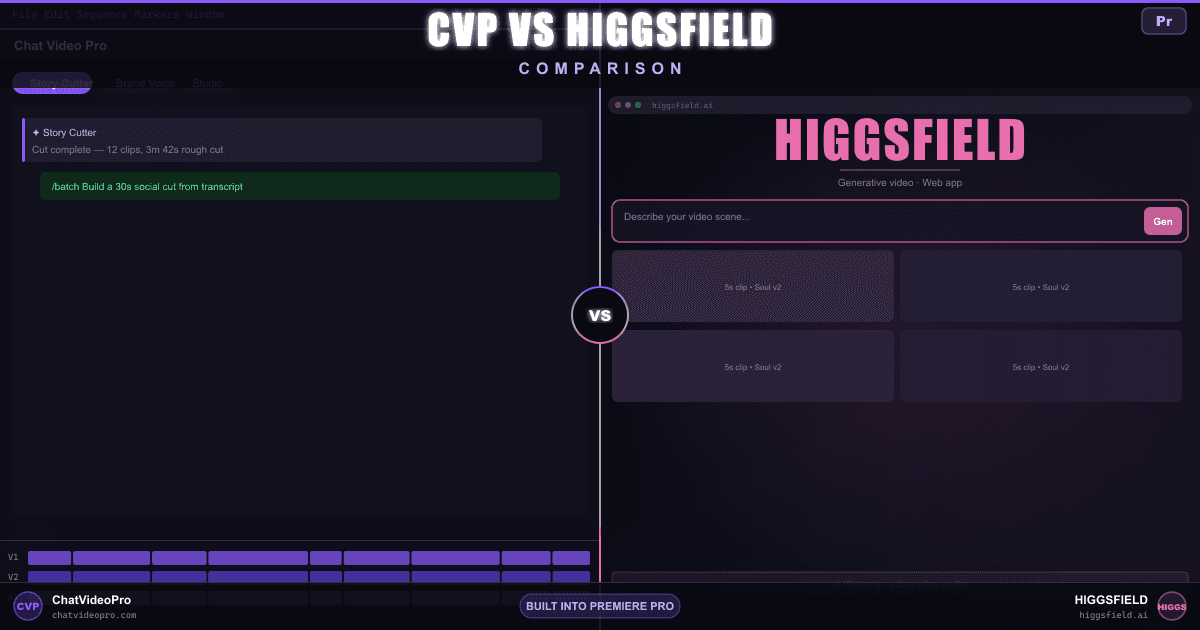
Chat Video Pro vs Higgsfield — comparison hero

Comparison

Chat Video Pro vs Higgsfield

Higgsfield just shipped a Premiere Pro plugin — five solid VFX tools. Here’s where the 11-workflow AI editorial studio pulls ahead: Story Cutter, LLM reasoning inside Premiere, timeline-native generative workflows, one-time pricing, and Windows support.

At a glance

5-tool VFX plugin vs. 11-workflow AI editorial studio

Both live in Premiere now — the gap is what they do there. Compare transcript rough cuts, LLM chat, generative workflows, pricing, and platform support.

Where it lives

Editor environment — CVP runs on Mac and Windows; Higgsfield plugin is Mac-only today

Chat Video Pro

CEP panel — Mac & Windows, Premiere 2024+

Higgsfield

Premiere/AE plugin (Mac only, Premiere 2024+) + web studio at higgsfield.ai
Best for this rowTie

Pricing model

License + ongoing cost

Chat Video Pro

$149.99 one-time + wholesale AI usage (bring your own fal.ai key)

Higgsfield

Plugin requires active Higgsfield subscription — credit allotments reset monthly, no key ownership
Best for this rowChat Video Pro

Transcript rough cut on the timeline

AI assembly from transcript on existing media

Chat Video Pro

Yes — Story Cutter drops cuts on your active Premiere sequence from Claude, GPT, or Gemini

Higgsfield

Best for this rowChat Video Pro

LLM / AI chat inside Premiere

Reasoning models in the NLE panel

Chat Video Pro

Yes — Claude 4.6, GPT-5.3, Gemini 3.1 reasoning directly in the panel

Higgsfield

Best for this rowChat Video Pro

Object erase / inpainting on video

Remove objects from moving footage on the timeline

Chat Video Pro

Yes — Erase / inpainting on timeline video clips in Studio

Higgsfield

Remove Background (alpha key) in the plugin; no video inpainting/erase
Best for this rowChat Video Pro

Background removal / alpha key

Isolate subjects from footage

Chat Video Pro

Yes — SAM3 Rotoscoping with text prompt on timeline clips

Higgsfield

Yes — Remove Background in the Premiere plugin
Best for this rowTie

AI video upscaling

Resolution enhancement on timeline clips

Chat Video Pro

Yes — Topaz-quality 4K upscaling via Studio

Higgsfield

Yes — Upscale up to 4K/8K in the Premiere plugin
Best for this rowTie

Reframe / crop to aspect ratio

Subject-aware aspect-ratio conversion

Chat Video Pro

Manual — no dedicated AI reframe tool

Higgsfield

Yes — Reframe in the Premiere plugin, subject-aware
Best for this rowHiggsfield

Multi-angle / multi-cam from a video clip

Synthetic angles from a video plate on your NLE timeline

Chat Video Pro

Yes — Multi-Angle Generation in Studio on the active sequence

Higgsfield

Best for this rowChat Video Pro

Relight a video clip

AI lighting changes that play back on the timeline

Chat Video Pro

Yes — Relight in Studio on Premiere timeline clips

Higgsfield

Best for this rowChat Video Pro

AI Transitions

Generative transitions between clips on the timeline

Chat Video Pro

Yes — AI Transitions Studio workflow, renders directly between clips

Higgsfield

Best for this rowChat Video Pro

Color grade / LUT generation

AI-assisted color from a frame reference

Chat Video Pro

Yes — Color Grade Assistant generates Lumetri LUTs from a frame

Higgsfield

Best for this rowChat Video Pro

Windows support

Premiere panel availability by OS

Chat Video Pro

Yes — Mac & Windows

Higgsfield

Mac only (plugin installer)
Best for this rowChat Video Pro

Deep dive

Three workflows Higgsfield’s plugin doesn’t have

Workflow depth

5 VFX tools vs. 11-workflow AI editorial studio

Chat Video Pro

  • Story Cutter + LLM chat (Claude, GPT, Gemini) inside Premiere
  • 11 named Studio workflows — Relight, Multi-Angle, AI Transitions, Color Grade, and more
  • Results land on your active sequence — no download-and-reimport loop
  • Mac & Windows CEP panel with one-time $149.99 licensing
  • Wholesale fal.ai keys you own — pay per call, no monthly credit cap

Higgsfield

  • Five Premiere plugin tools: Reframe, Remove BG, Upscale, Draw to Edit, Edit Video
  • Genuinely useful VFX passes on clips already in your sequence
  • Web studio at higgsfield.ai for generative ads, Soul Cinema, and Marketing Studio
  • Mac-only plugin installer — Windows editors need the web studio or another workflow
  • Active subscription required to run the plugin; credits reset monthly

The LLM layer

AI that reasons about your edit vs. AI that enhances a clip

Chat Video Pro

  • Claude 4.6, GPT-5.3, and Gemini 3.1 reasoning directly in the Premiere panel
  • Story Cutter rough-cuts from transcript — LLM picks soundbites and drops cuts on tracks
  • Color Grade Assistant generates Lumetri LUTs from a frame reference
  • LLM writes copy for thumbnails and powers a searchable prompt library
  • Multi-clip editorial context — not just per-clip prompt edits

Higgsfield

  • Edit Video applies natural-language prompts to individual clips in the plugin
  • Useful for quick per-clip transformations — reframe, upscale, or prompt an edit
  • No multi-clip reasoning, no transcript, no LLM-driven story structure
  • No chat interface inside Premiere — no Claude, GPT, or Gemini in the panel
  • Web studio handles generative creation; plugin handles clip-level VFX

Pricing

Subscription credits vs wholesale AI: how cost scales with use

Chat Video Pro

  • One-time $149.99 license with lifetime updates
  • Wholesale fal.ai billing at published rates — pay per generation, no monthly cap
  • Many editors spend roughly $10/month at typical Studio usage
  • 7-day money-back on the license; no recurring subscription to cancel
  • Cost scales with actual AI calls — not a fixed credit pool that expires

Higgsfield

  • Premiere plugin requires an active subscription — no plugin access without paid credits
  • Free tier with limited daily credits on the web studio; paid tiers at higgsfield.ai/pricing
  • Monthly credit allotments — premium models (Sora, Veo) consume more per clip
  • Credits reset each billing cycle and do not roll over
  • Top-up credit packs available; published terms note 90-day expiry on purchased packs

Verdict

Which one should you pick?

Use Chat Video Pro if…

  • Adobe Premiere Pro is where your edit finishes
  • You want one-time pricing plus wholesale AI billing — no recurring subscription required
  • Story Cutter should rough-cut existing footage from transcript on your active sequence
  • You need LLM reasoning (Claude, GPT, Gemini), relight, multi-angle, AI Transitions, or LUT generation on timeline clips
  • You edit on Windows — CVP runs on Mac and Windows; Higgsfield’s plugin is Mac-only

Use Higgsfield if…

  • Subject-aware Reframe on timeline clips is your primary need — CVP has no dedicated AI reframe tool
  • Quick Remove Background or Upscale passes inside Premiere are enough for your VFX workflow
  • Net-new generative content (social ads, AI film, UGC) in the web studio is your primary output
  • Higgsfield Soul, Marketing Studio, and Viral Presets match your creative direction
  • You want 30+ models under one subscription without managing separate API keys

FAQ

Chat Video Pro vs Higgsfield FAQ

Higgsfield now has a Premiere Pro plugin — how does it compare?

Yes — Higgsfield shipped a native Adobe Premiere Pro and After Effects plugin in 2026 (Mac .dmg installer, Premiere 2024+). The panel bundles five tools: Reframe (subject-aware crop to any aspect ratio), Remove Background (alpha key from video clips), Upscale (up to 4K/8K via their cloud), Draw to Edit (sketch → video generation), and Edit Video (natural-language prompt edits on a clip). An active Higgsfield subscription is required to run any of them — credits are subscription-backed.

Chat Video Pro is a different class of tool: an 11-workflow AI editorial studio with Story Cutter (transcript rough cuts on your sequence), Claude/GPT/Gemini reasoning inside Premiere, Relight, Multi-Angle, AI Transitions, Color Grade Assistant, and more — on Mac and Windows, with one-time licensing plus wholesale fal.ai keys you own. Higgsfield’s plugin is a solid VFX kit; CVP is built for editors who need LLM-driven story structure and timeline-native generative workflows Higgsfield does not offer.

Does Chat Video Pro generate video from scratch?

Yes — Studio inside Chat Video Pro generates cinematic video and images from prompts (Seedance, Veo, Kling, Sora, and more at wholesale fal.ai rates). The difference from Higgsfield is depth: CVP also works on footage already on your timeline (Story Cutter, Relight, Multi-Angle, Erase, AI Transitions) and lands results directly on tracks. Higgsfield’s Premiere plugin handles per-clip VFX (Reframe, Remove BG, Upscale, Draw to Edit, Edit Video); its web studio remains the home for net-new generative content and Marketing Studio templates.

Which one is cheaper long-term?

Chat Video Pro is a one-time $149.99 license plus wholesale AI usage (many editors spend roughly $10/month at published fal.ai rates). Higgsfield uses recurring subscription credits — the Premiere plugin requires an active subscription to function, paid tiers carry monthly allotments that reset each billing cycle and do not roll over, and premium models such as Veo and Sora consume more credits per clip. If you already own Premiere and edit regularly, the perpetual license often wins on total cost within the first year versus an ongoing Higgsfield subscription.

Heavy generative-only users who do not need an NLE may still prefer Higgsfield’s bundled model access — compare current tiers at higgsfield.ai/pricing before committing.

Can I use both?

Yes. Both now have Premiere panels — some teams use Higgsfield’s plugin for quick Reframe or Remove Background passes on individual clips, then rely on Chat Video Pro for Story Cutter transcript rough cuts, LLM reasoning, Relight, Multi-Angle, AI Transitions, and Color Grade workflows on the same timeline. Others still generate social-first ads in Higgsfield’s web studio (Marketing Studio, Cinema Studio, Soul ID) and finish in Premiere with CVP without leaving the panel for editorial AI work.

Does Higgsfield work on my existing footage?

Partially — and more than before. Higgsfield’s Premiere plugin operates on clips already in your sequence: Reframe crops to new aspect ratios, Remove Background extracts alpha, Upscale enhances resolution, and Edit Video applies prompt-based edits to individual clips. What it still does not do: rough-cut interview footage from a transcript, relight or erase objects on video, generate multi-angle views from a video plate, or reason across multiple clips with an LLM. Its web apps (Relight, Edit Image, Angles 2.0) still act on uploaded photos, not timeline video. Chat Video Pro Story Cutter transcribes and cuts clips on your active sequence; Studio Relight, Erase, Multi-Angle, and AI Transitions operate on those same timeline video clips.

Does the Higgsfield Premiere plugin work on Windows?

Not currently. Higgsfield distributes the Premiere/AE plugin as a Mac-only .dmg installer. Chat Video Pro runs as a CEP panel on both Mac and Windows (Premiere 2024+). If you edit on Windows, CVP is the only option of the two for in-Premiere AI workflows today.

Does Higgsfield offer a free tier?

Yes. Higgsfield publishes a free tier with limited daily credits for evaluation on the web studio. The Premiere plugin, however, requires an active paid subscription to run — check higgsfield.ai/pricing for current limits. Chat Video Pro has no free tier; it includes a 7-day money-back on the license (AI credits and consumed Fal.ai usage non-refundable).

What models does each platform run?

Higgsfield aggregates 30+ partner and proprietary models — including its own Soul, Soul Cinema, and DoP models alongside partner endpoints like Seedance, Kling, Google Veo, and OpenAI Sora — under one credit balance (higgsfield.ai). Chat Video Pro routes Studio generation to wholesale fal.ai endpoints: Seedance, Veo, Kling, Sora, Hailuo, Wan, plus 10+ image models (Nano Banana 2 Pro, Flux 2, Z-Image, Seedream, GPT Image 2, Recraft, and others). CVP does not resell Higgsfield’s proprietary Soul or DoP models; Higgsfield does not expose Story Cutter, LLM chat, multi-angle from video clips, relight on timeline footage, or AI Transitions inside Premiere.

Does Chat Video Pro do everything Higgsfield does?

No — and that is intentional. Higgsfield ships proprietary models (Soul, Soul Cinema, Higgsfield DoP), Marketing Studio ad templates, Viral Presets, subject-aware Reframe in its Premiere plugin, and a full web creative suite tuned for social-first generative content. Chat Video Pro does not replicate Higgsfield’s marketing-studio template library, Soul ID character-lock workflows, or dedicated AI Reframe tool. CVP wins where Premiere editors need transcript rough cuts, LLM reasoning inside the panel, and 11 timeline-native Studio workflows — relight, erase, multi-angle, AI Transitions, and LUT generation on the actual video clips already on the active sequence.

Ready to edit and generate inside Premiere?

$149.99 one-time license. Wholesale AI billing. 7-day money-back guarantee on the $149.99 Chat Video Pro license. Bundle add-ons (templates, presets, Founder Onboarding) and any AI generation already spent are non-refundable. Refunds are processed through Lemon Squeezy.

No subscription · Works on Mac & Windows · Premiere Pro required