Studio
Audio Expansion: AI voiceover, SFX, score and stems on the Premiere timeline
Four jobs leave the timeline in almost every edit: the narration you book somebody to read, the sound effect you go digging for, the track you license, and the dialogue you have to rescue from a mix that was never meant to be split. Each one costs a handoff — an export, an upload, a wait, a re-import, and a re-sync against a cut that has moved since you left. The Audio Expansion puts all four inside the Chat Video Pro panel: Voiceover Lab, SFX Studio with Foley mode, Music Composer, and Stem Separation. Every result comes back as real audio on your Premiere sequence, so what you judge is what you ship. It is a paid expansion, $69.99 one-time, and it requires the base Chat Video Pro license — it is not a standalone app. For the first seven days after launch, the code AUDIOLAUNCH takes a flat $20 off, which is $49.99.
What the Audio Expansion is
The Audio Expansion unlocks four audio workflows inside the Chat Video Pro panel you already run in Premiere Pro. There is no second install and no second application: you buy it, paste your license key into the panel, and the audio tools appear alongside the video ones.
Read that first line carefully, because it is the one thing worth being blunt about. This is an expansion for the Chat Video Pro panel. It requires the base license and it does nothing on its own. If you do not already own the panel, buying the Audio Expansion by itself leaves you with nothing to unlock. The route for you is the Creator Bundle at $199.99, which is the base license and the Audio Expansion in one purchase.
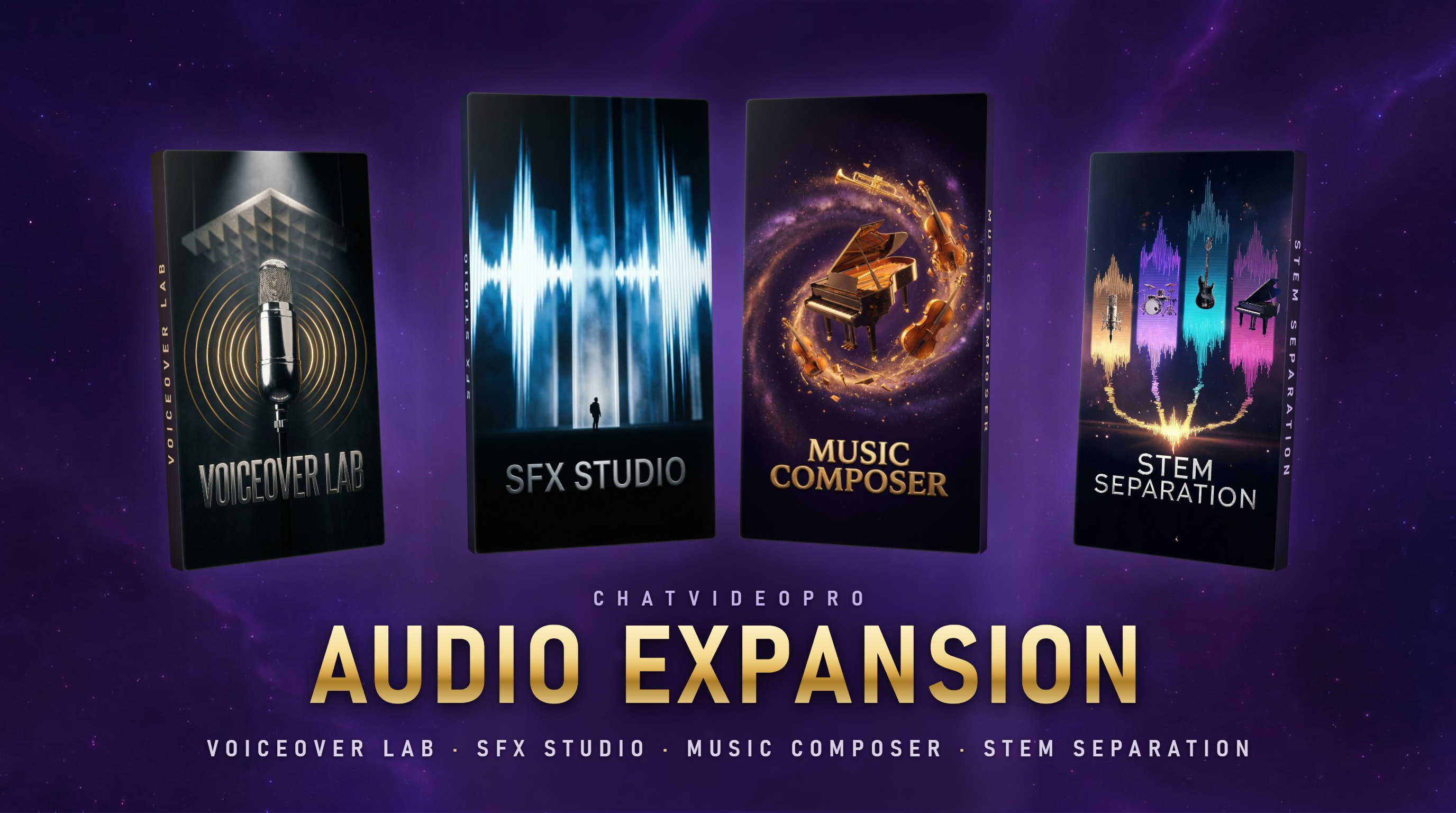
The common thread across all four is that the output is a real audio clip on your Premiere timeline rather than a file in a downloads folder. There is no export step, no browser tab to switch to, and nothing to re-import and re-sync once you get back.
Voiceover Lab: a read without booking one
Scratch VO for a client review is a small job with a big tail. You either read it yourself into whatever mic is on the desk, or you wait on a talent day for forty seconds of narration, or you ship the cut with a silent gap and a note. And when the client changes one line three weeks later, the whole arrangement has to happen again for eight words.
Voiceover Lab collapses that into typing. Write the script, pick a voice, and the read lands on your sequence ready to trim. Clone your own voice once and the pickup line stops being an event — you fix the flub without setting up a mic or matching a room you recorded in a month ago.
- Script to finished read without a booth, a talent day, or a scheduling thread.
- Voice cloning for pickups, so one changed line does not mean one more session.
- Takes arrive as audio on the timeline, ready to trim against picture.
SFX Studio: describe it instead of digging for it
Library search is the quiet time sink of sound work. You know exactly what you want, you audition thirty near-misses to find it, and the one you settle for is a little too bright or a little too long. Multiply that by the six spot effects a two-minute cut needs and the afternoon is gone.
SFX Studio takes the description instead of the search term. Say what the sound is in plain English and get an effect you can use. When the shot needs sound that tracks what is on screen rather than a single hit, switch on Foley mode: it watches the clip and builds sound to match the action.
Foley is a mode inside SFX Studio, not a separate product and not a separate purchase. It is the same workflow with the picture in the loop, which means you can build a scene in passes — footsteps, then cloth, then room tone — without leaving the timeline between them.
Music Composer: score the cut you actually made
Stock music is a negotiation you always lose slightly. The track is close, but it resolves eight seconds before your last beat, or the drums come in on a line you need clean, so you cut the music to fit and hope nobody notices the seam.
Music Composer writes for the sequence instead. Describe the vibe you want, or let it read the edit and compose to the pacing you already cut. Re-roll until one fits, then drop the finished track onto the timeline. Because generating another take is cheap and fast, "close enough" stops being the default answer.
One practical note: rights terms come from whichever provider your key is generating on. Check them before commercial delivery the same way you would for any other asset you put in a sequence.
Stem Separation: get the dialogue back
Some audio problems cannot be re-shot. The interview happened in a bar with a jukebox. The archive tape is a mixdown and the stems are long gone. The client sends a finished bounce and asks for the vocal on its own.
Stem Separation splits a mixed track into its parts — vocals, drums, bass, piano and more — so you can keep what the edit needs and lose what it does not. Kill the music and keep the dialogue, or the reverse. Every stem comes back as a real clip on the timeline, so balancing them is ordinary Premiere work rather than another round-trip.
What it costs, and what it does not
The Audio Expansion is $69.99, once. It is not a subscription and there is no per-minute meter on it. For the first seven days after launch, the code AUDIOLAUNCH takes a flat $20 off — a fixed amount, not a percentage, which lands the launch price at exactly $49.99.
Generation runs on the same bring-your-own-key model as the rest of the panel. You put your own provider key in, and generations bill to you directly at provider cost with no markup in between. Most audio generations cost pennies. If you do not generate anything in a given month, the running cost is zero.
- Audio Expansion — $69.99 one-time, requires the $149.99 base license.
- Creator Bundle — $199.99, the base license with the Audio Expansion already included.
- Creator Pass — $24.99 per month, which includes every expansion while the pass is active. If you hold one, you already have this; do not buy it twice.
- Bought the Creator Bundle before this launch? The CREATOR20 loyalty code applies once the launch window closes.
What it is not: a mixing suite, and not a replacement for a mixer with good ears, a treated room for a hero read, or a composer on a scored project. It removes the errands around those things — the booking, the digging, the licensing, the round-trip — so the judgment calls stay where they belong.
Where it fits in a Premiere day
The natural order has not changed. Lock dialogue first — with Story Cutter and a transcript if that is your workflow — then do the audio pass on a cut that has stopped moving. What changes is that the audio pass no longer starts by leaving the application, so the sound gets judged against the picture it is under rather than in a separate preview window.
Tools like Descript do this well inside their own editor, and if you already live there, that is a reasonable place to be. The difference here is that the project never leaves Premiere: color, graphics, and the mix stay on the same sequence, and nothing has to survive an XML trip to get there. The feature-by-feature version of that comparison lives at /compare/chat-video-pro-vs-descript.
Get it
The full workflow breakdown, the launch pricing, and the upgrade path for existing owners are on /audio-expansion. Every package, including the Creator Bundle and Creator Pass, is at /products. Panel documentation is at docs.chatvideopro.com.
Frequently asked questions
- Do I need Chat Video Pro to use the Audio Expansion?
- Yes. The Audio Expansion is an expansion for the Chat Video Pro Premiere Pro panel and requires the base license — it is not a standalone application. If you do not own the panel yet, the Creator Bundle at $199.99 includes both.
- How much is it, and is the launch discount a percentage?
- It is $69.99 one-time. The launch code AUDIOLAUNCH is a fixed $20 off, not a percentage, so the price during the first seven days is exactly $49.99.
- Is Foley a separate product from SFX Studio?
- No. Foley is a mode inside SFX Studio that watches your clip and builds sound to match the action. It is included in the same purchase.
- What do the generations cost to run?
- You bring your own provider key and pay the AI providers directly at cost, with no markup and no subscription. Most audio generations cost pennies, and if you do not generate, you do not pay.
- I already own the Creator Bundle or a Creator Pass — do I need to buy this?
- An active Creator Pass already includes every expansion, so there is nothing to buy. Creator Bundles purchased before this launch can use the CREATOR20 loyalty code once the launch window closes; bundles purchased from launch onward include the Audio Expansion outright.
Try Chat Video Pro
AI rough cuts, Studio generation, and wholesale billing — all inside Adobe Premiere Pro. Choose lifetime or monthly access. AI usage is billed separately.
Related guides
Technical reference: docs.chatvideopro.com